This section will add relevant autoplay videos to your brand to attract clients. You can highlight important information about your store.
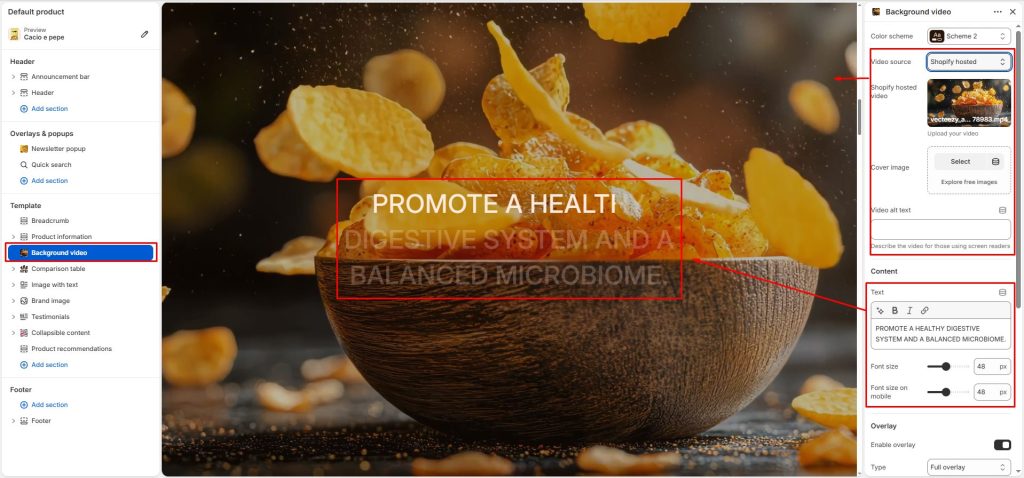
Video source: Choose the source type for the video content. There are 2 types: Vimeo or Youtube and Shopify hosted, you can use video URLs or video files in your store.
Shopify hosted video: Upload or select a video hosted directly on Shopify.
Cover image: Add a preview image displayed before the video loads or a non-video.
Content: Enter the text to display over the video and adjust its size for desktop and mobile. As users scroll down the page, the text gradually becomes more visible, creating an engaging interactive effect that naturally draws attention to the content.
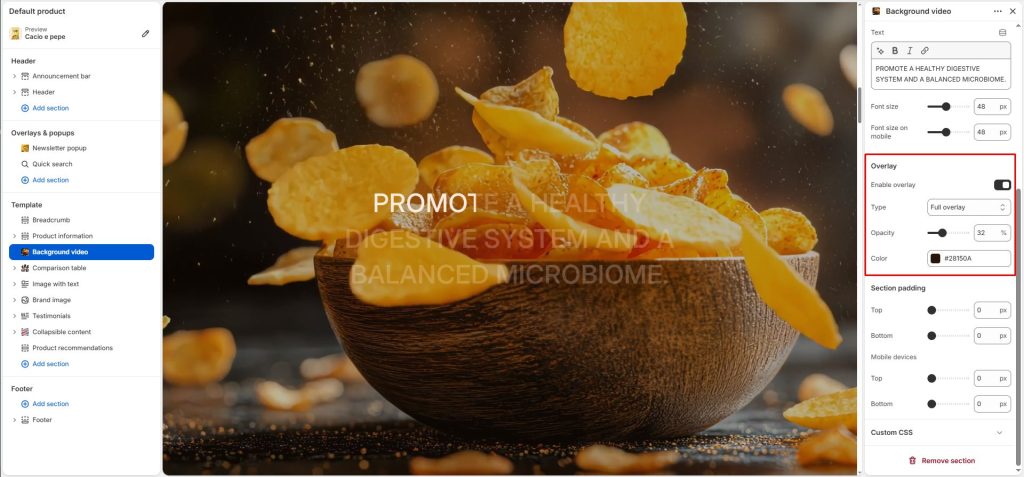
Overlay
Enable overlay: Display a color overlay above the video content.
Type: Choose the overlay gradient direction or style.
Opacity: Adjust the transparency level of the overlay.
Color: Select the overlay color displayed above the video.