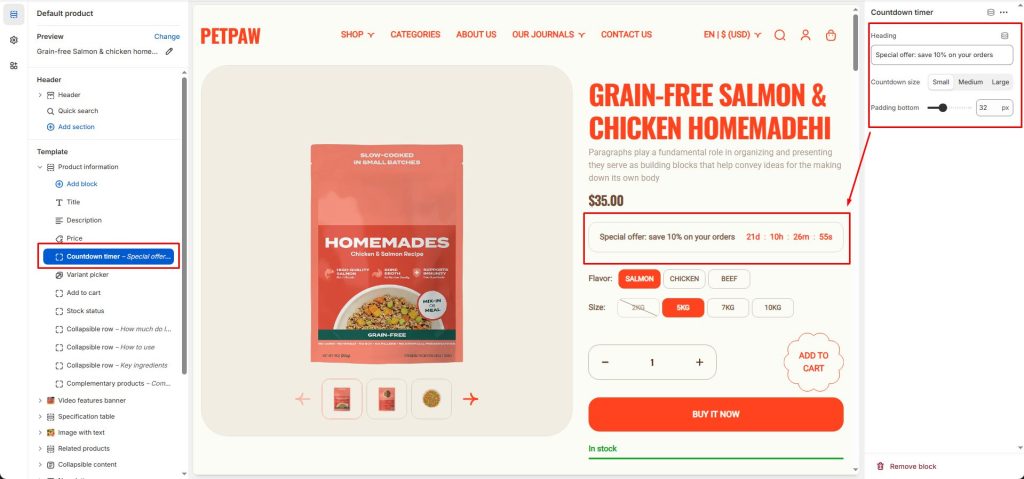
Petpaw supports displaying a countdown timer on a product which counts down to the discount expiry date. The timers are a great way to create a sense of urgency for your product discounts and thereby encourage customer to buy before it’s too late.

This feature is working based on metafields. So, all you have to do is to add metafield definition, then set the countdown for the products you want.
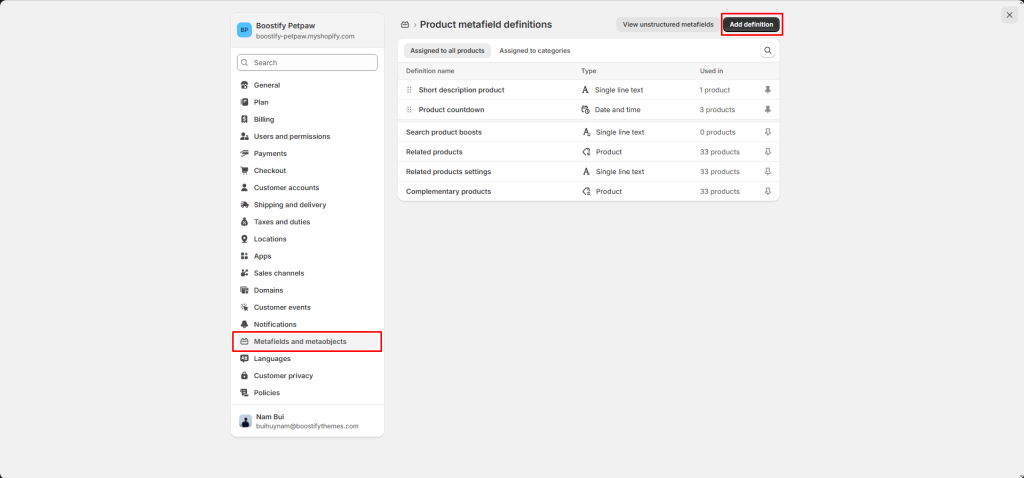
First, you need to create a Product countdown metafield in the Settings -> Metafields and metaobjects -> Products -> Add definition.
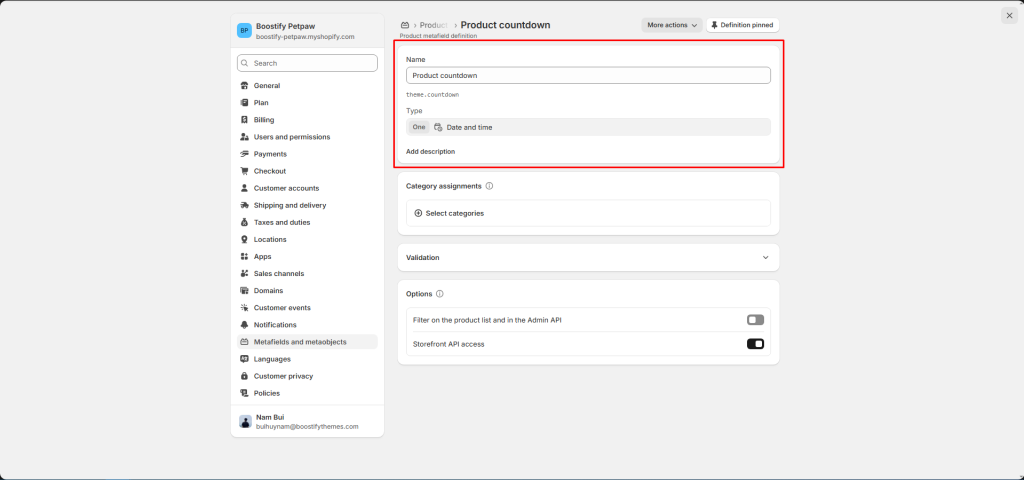
After creating the metadata field, you need to enter the countdown time for the product you want.
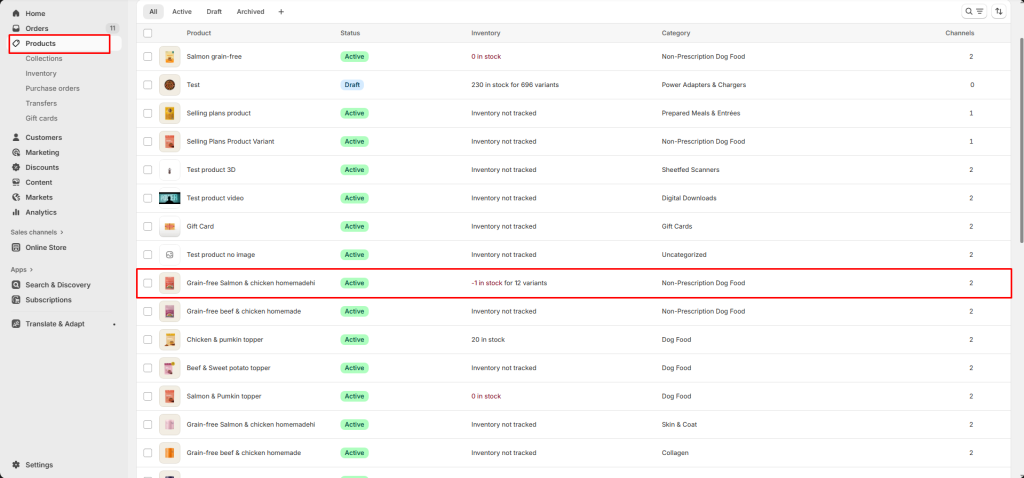
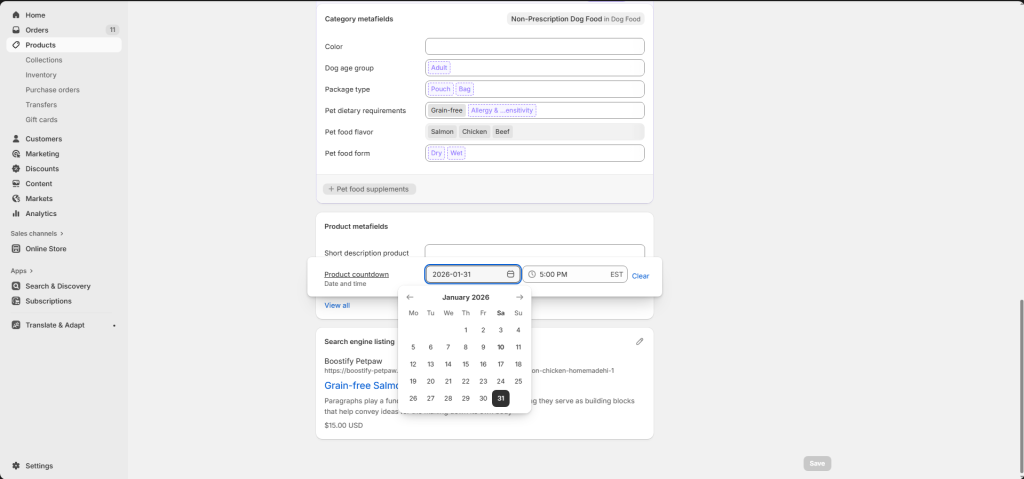
Displaying the countdown
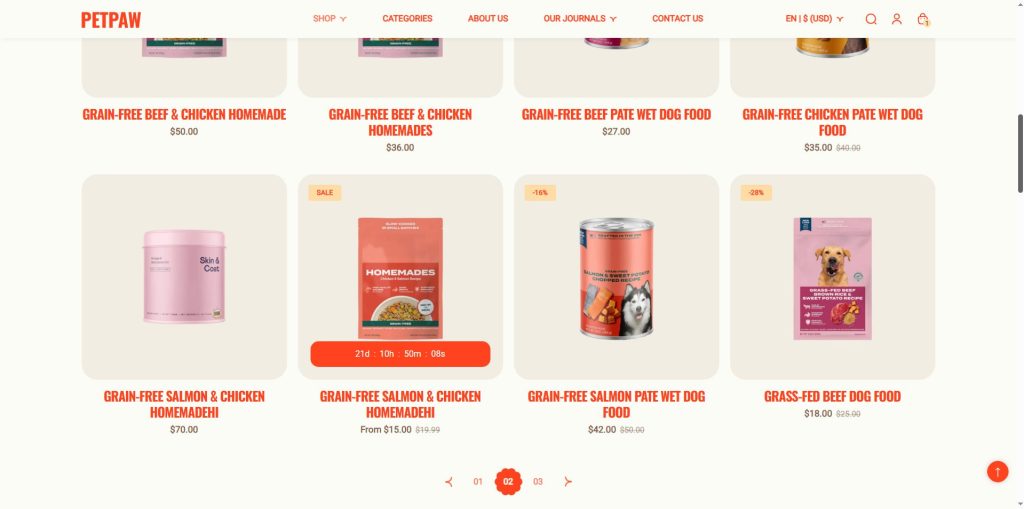
When a countdown is set to a product, there will be 2 elements representing the countdown: countdown on the product card, and countdown on the product page.
Product card
From your Shopify admin, go to Online Store -> Themes -> Edit theme -> Theme settings -> Product card
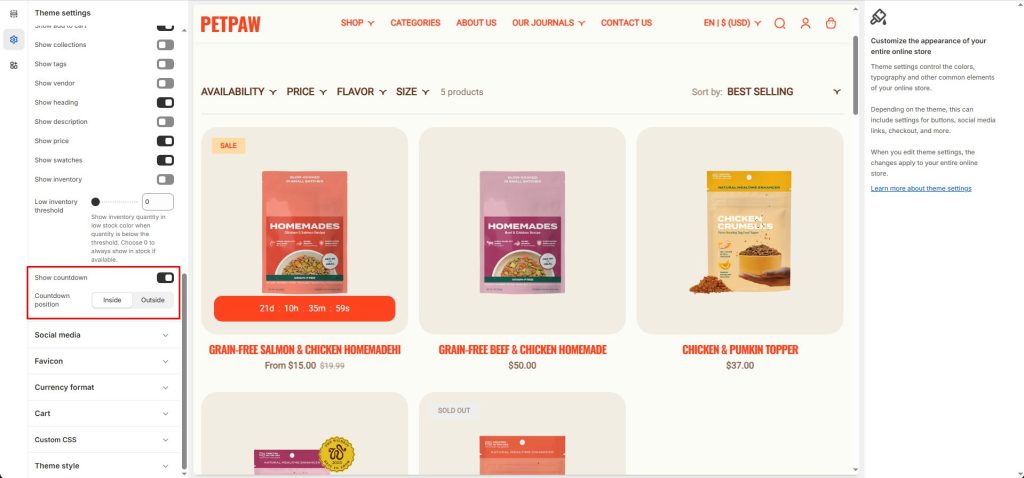
You can show/hide the countdown timer and choose its display location.
Product page
On the product page, you can use the product countdown timer block to display a countdown timer.