
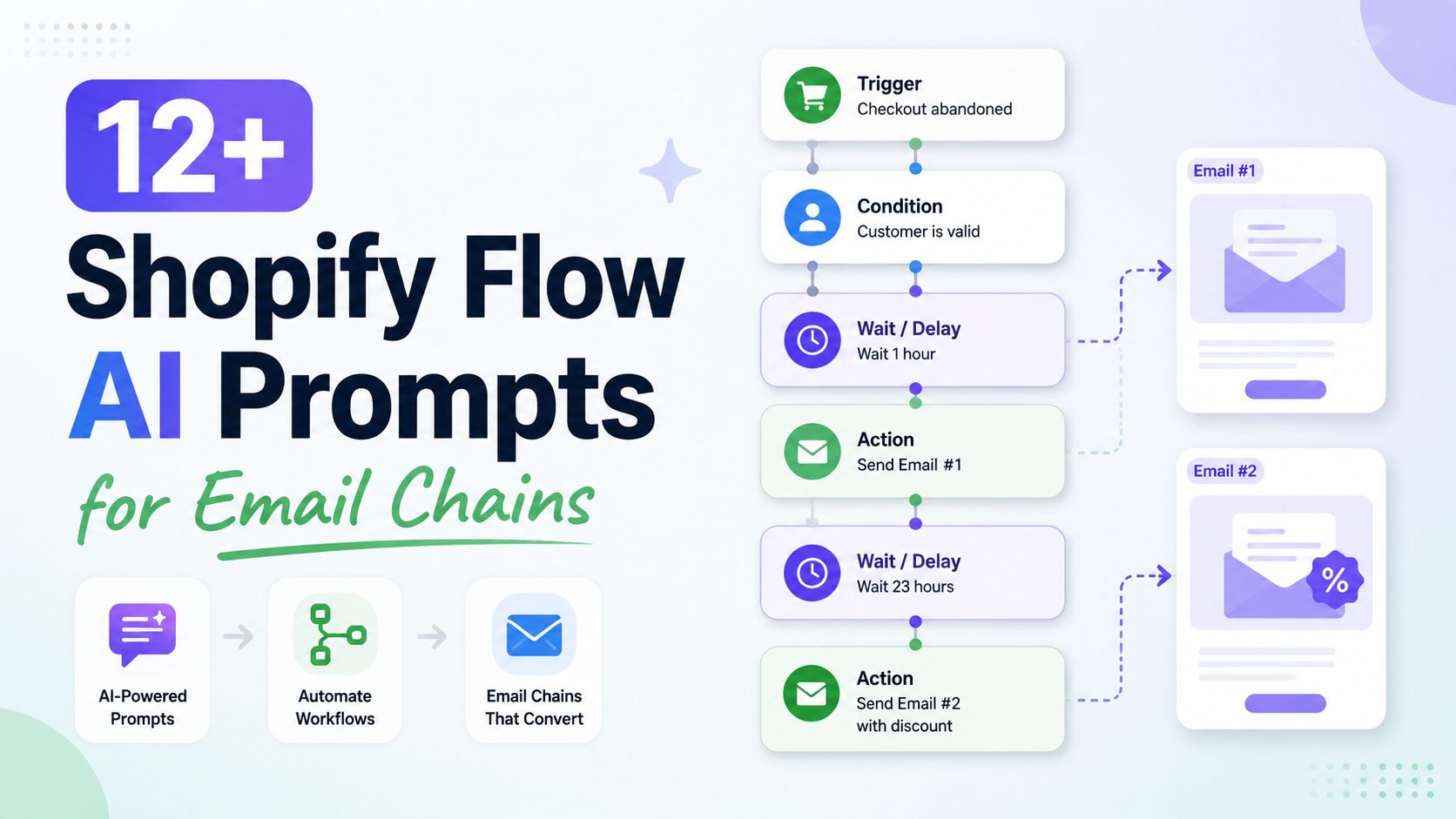
Creating automated email sequences in Shopify Flow used to mean manually dragging triggers, adding delays, configuring conditional logic, and mapping actions block by block. With the integration of AI assistants in Shopify Flow, you can now build multi-step email chains simply by describing what you want in plain text.
That being said, AI tools are only as good as the instructions you give them. A vague prompt like “Send an email chain for abandoned carts” often produces incomplete workflows missing critical wait times or buy-out conditions.
In this guide, we’ll break down the exact formula for writing effective Shopify Flow AI prompts and share 12 copy-paste-ready Shopify flow AI prompt examples for email chains.
Table of Contents
The Formula: How to Write Precise Shopify Flow AI Prompts
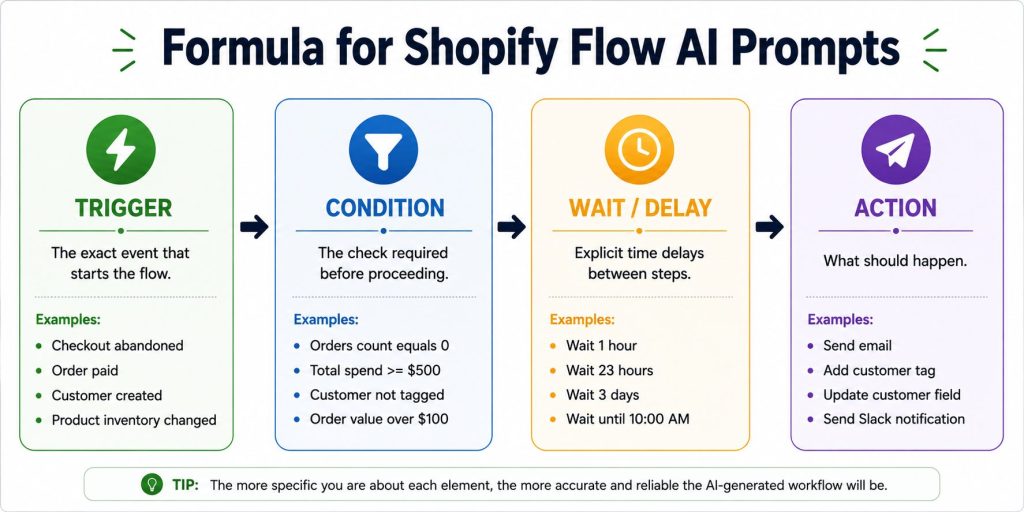
To generate a fully functional email chain workflow without manual fixes, your prompt must explicitly state four core elements:
- Trigger: The exact event that starts the flow (e.g.,
Checkout abandoned,Order paid,Customer created). - Condition: The check required before proceeding (e.g.,
Orders count equals 0,Total spend >= $500). - Wait Duration: Explicit time delays between steps (e.g.,
Wait 1 hour,Wait 3 days). - Action: What should happen (e.g.,
Send email,Add customer tag).
Weak Prompt vs. Precise Prompt
- ❌ Weak: “Create an abandoned cart sequence that sends two emails with discounts.”
- ✅ Precise: “When a checkout is abandoned, wait 1 hour; check if the customer has placed an order since checkout; if false, send email ‘Cart Reminder 1’; wait 23 hours; check again if the customer has placed an order; if false, send email ‘Cart Reminder 2’ with discount code ‘SAVE10’.”
12+ Shopify Flow AI Prompt Examples for Email Chains
1. Abandoned Checkout Recovery Chain
Recover lost sales by reaching out to high-intent shoppers before they lose interest, using escalating incentives across two steps.
Copy-Paste Prompt:
When a checkout is abandoned, wait 1 hour; check if the customer has placed an order since checkout; if false, send email 'Cart Reminder 1'; wait 23 hours; check again if the customer has placed an order; if false, send email 'Cart Reminder 2' with discount code 'SAVE10'.- Trigger: Checkout abandoned
- Conditions: Customer placed zero orders since initiation
- Delays: 1 hour – 23 hours (24 hours total)
- Goal: Re-engage cart abandoners while ensuring customers who already purchased do not receive unwanted reminders.
Pro Tip for Merchants: While using AI prompts helps you quickly generate automated recovery emails, recovering lost revenue requires a complete strategy. Read our step-by-step guide on how to Shopify abandoned carts to reduce checkout drop-offs and boost your conversion rates.
2. Browse Abandonment Sequence
Re-engage interested visitors who viewed specific product pages multiple times but left without adding items to their cart.
Copy-Paste Prompt:
When a customer views a product and leaves without adding to cart, wait 3 hours; send email 'Still Thinking About This?'; wait 48 hours; check if customer has placed an order; if false, send email 'What Other Customers Say' featuring top reviews for that product.- Trigger: Product view without cart action
- Conditions: No purchase made within 48 hours
- Delays: 3 – 48 hours
- Goal: Leverage social proof and product reminders to convert high-intent browsers into first-time buyers.
3. Welcome Series for New Subscribers
Introduce your brand story to new subscribers first, then follow up with a time-sensitive incentive if they haven’t made their initial purchase.
Copy-Paste Prompt:
When a customer is created, wait 10 minutes; send email 'Welcome 1 - Our Brand Story'; wait 2 days; check if customer total spend equals $0; if true, send email 'Welcome 2 - Get 10% Off First Order'; wait 3 days; if total spend still equals $0, send email 'Welcome 3 - Code Expiring Soon'.- Trigger: Customer created
- Conditions: Total spend equals $0 (first-time buyer check)
- Delays: 10 minutes – 2 days – 3 days
- Goal: Nudge hesitant subscribers toward their first order while building an authentic emotional connection.
4. Post-Purchase Onboarding & Product Care
Ensure customers have a positive experience right after delivery by sending practical tutorials, care guides, and FAQs.
Copy-Paste Prompt:
When an order is marked delivered, wait 1 day; send email 'How to Get Started & Care Guide'; wait 5 days; send email 'Pro Tips & Frequently Asked Questions'.- Trigger: Order delivered
- Conditions: Order status is marked as delivered
- Delays: 1 day – 5 days
- Goal: Reduce post-purchase anxiety, prevent user error, and decrease customer support inquiries.
5. Product Review & Social Proof Request
Collect verified product reviews and user-generated photos after customers have had enough time to test their purchase.
Copy-Paste Prompt:
When an order is marked delivered, wait 10 days; check if customer has opened support tickets; if false, send email 'Leave a Review for 50 Loyalty Points'; wait 7 days; if no review submitted, send email 'Share a Photo Review'.- Trigger: Order delivered
- Conditions: Zero open customer support tickets
- Delays: 10 days – 7 days
- Goal: Gather authentic feedback and social proof while protecting customer sentiment during active support resolution.
6. Post-Purchase Cross-Sell Sequence
Increase Customer Lifetime Value (LTV) by recommending complementary items tailored to the customer’s initial purchase.
Copy-Paste Prompt:
When an order is fulfilled, wait 14 days; check if customer order count equals 1; if true, send email 'Complete Your Setup' featuring complementary items from the same collection as their original order.- Trigger: Order fulfilled
- Conditions: Customer order count equals 1
- Delays: 14 days after fulfillment
- Goal: Drive repeat purchases by introducing relevant add-ons while initial product satisfaction is high.
Pro Tip for merchants: To maximize the impact of your post-purchase email chains, pair them with a mobile-optimized store layout. Check out these premium Shopify templates designed specifically for high-converting upsells and fast navigation
7. Automated Replenishment & Re-Order Reminder
Remind customers to reorder consumable products (beauty, wellness, pet supplies) right before their supply runs out.
Copy-Paste Prompt:
When an order is fulfilled for product tag '30-day-supply', wait 25 days; send email 'Running Low? Reorder in One Click'; wait 5 days; if no order placed, send email 'Don't Run Out - Free Shipping on Reorders'.- Trigger: Order fulfilled with product tag
30-day-supply - Conditions: No new order placed within the replenishment window
- Delays: 25 days – 5 days
- Goal: Secure recurring orders and reduce churn for fast-moving consumable inventory.
8. VIP Loyalty Tier Upgrade
Recognize and reward high-spending shoppers automatically as soon as their lifetime spend crosses a defined milestone.
Copy-Paste Prompt:
When an order is paid, check if customer lifetime spend is greater than or equal to $500; if true and customer is NOT tagged 'VIP', tag customer 'VIP', send email 'Welcome to VIP Club & Secret Perk', wait 14 days, and send email 'VIP Check-In & Early Access Preview'.- Trigger: Order paid
- Conditions: Lifetime spend >= $50 AND tag does not contain VIP
- Delays: Immediate – 14 days
- Goal: Build long-term brand loyalty and incentivize top-tier customers with exclusive perks.
9. High-Value Customer Anniversary Reward
Celebrate customer milestones (such as 1 year since account creation) with an exclusive appreciation voucher.
Copy-Paste Prompt:
When customer account age reaches 365 days, check if customer total spend is greater than $100; if true, send email 'Happy 1-Year Anniversary Gift ($20 Voucher)'; wait 7 days; if voucher unused, send email 'Anniversary Voucher Expiring Soon'.- Trigger: Customer account age reaches 365 days
- Conditions: Total customer spend > $10
- Delays: 365 days active – 7 days
- Goal: Delight high-value shoppers on special milestones to reinforce brand connection and trigger repeat orders.
10. Dormant Customer Win-Back Campaign
Re-engage customers who haven’t purchased in 90 days before they churn completely, using escalating offers and automated tagging.
Copy-Paste Prompt:
When a customer has not placed an order in 90 days, check if customer lifetime spend is greater than $50; if true, send email 'We Miss You - 15% Off'; wait 7 days; if customer still has not placed an order, send email 'Final Chance - 20% Off' and tag customer as 'winback-risk'.- Trigger: Customer inactivity benchmark (90 days)
- Conditions: Lifetime spend > $5 AND zero new orders placed
- Delays: 90 days inactive – 7 days
- Goal: Reactivate dormant buyers while updating segment tags automatically for targeted marketing.
11. Back-in-Stock & Low-Stock Urgency Chain
Capitalize on high buying intent by notifying subscribed customers as soon as sold-out items return to inventory.
Copy-Paste Prompt:
When product variant back in stock is true, send email 'Back in Stock - Grab Yours Before It Sells Out' to subscribed customers; wait 24 hours; if stock is less than 10, send email 'Low Stock Warning - Almost Gone Again'.- Trigger: Variant back in stock is true
- Conditions: Product stock level < 1 items
- Delays: Immediate – 24 hours
- Goal: Convert back-in-stock waitlists quickly by creating genuine scarcity and urgency.
12. High-Value Order Cancellation Follow-Up
Mitigate negative customer experiences and gather actionable feedback when a high-value customer cancels an order.
Copy-Paste Prompt:
When an order is cancelled and order total is greater than $100, send email 'We Are Sorry - How Can We Help?'; wait 3 days; send email 'Special Concierge Offer to Try Us Again'.- Trigger: Order cancelled
- Conditions: Cancelled order total > $10
- Delays: Immediate – 3 days
- Goal: Resolve underlying buyer frustration, collect operational feedback, and recover cancelled revenue.
3 Common Pitfalls When Using AI Prompts in Shopify Flow
Even with advanced AI assistants, improper prompt structure can lead to logic errors in your workflows. Watch out for these three common mistakes:
- Missing “Exit Conditions”: Always check whether a customer has placed an order or taken action between delay steps. Without this check, a customer who bought an item on hour 2 might still receive an abandoned cart email on hour 24.
- Unspecified Email Apps: If you use third-party email tools like Klaviyo or Omnisend alongside Shopify Email, state the app name in your prompt (e.g., “send Klaviyo metric event” vs. “send email”).
- Vague Numerical Rules: Avoid terms like “high-value customer” or “soon after purchase.” Use exact numbers like
spend >= $100orwait 4 hoursto ensure the AI assigns precise parameters to every step.
FAQs for AI prompts for Shopify Flow email chains
Does Shopify Flow write the email content for me using AI?
No. Shopify Flow is designed to automate business logic and workflows (e.g., triggers, delays, conditions, and actions). While Shopify’s native AI (Sidekick) helps you build the automation workflow using natural language commands, it does not generate marketing email copy. You should use AI writing tools like ChatGPT, Claude, or Gemini to craft your email text, then paste that copy into your email app within Shopify Flow.
Can I use these AI prompts directly with third-party email apps like Klaviyo or Omnisend?
Yes, absolutely. The AI prompts in this guide generate universal email copy (subject lines, preview text, email body, and CTAs). Once the AI generates the text, you can copy and paste it into any email marketing platform—whether you are using Shopify Email, Klaviyo, Omnisend, Mailchimp, or Privy—and connect that campaign to your Shopify Flow automation triggers.
How do I make AI-generated emails dynamically reference specific products a customer viewed or bought?
To insert dynamic product details (like product names, images, or order numbers), you need to include Shopify Liquid variables or merge tags in your email template. When writing your AI prompt, you can instruct the AI to include placeholders like {{ product.title }} or {{ customer.first_name }}.
Example prompt tweak:“Include Shopify Liquid tags for the customer’s first name and the specific product title in the email body.”
How many emails should be in a typical Shopify Flow email chain?
The ideal length depends on the workflow goal and customer intent:
- Abandoned Cart / Checkout: 2 to 3 emails (sent over 24–48 hours).
- Welcome Series: 3 to 4 emails (sent over 7–10 days).
- Post-Purchase & Review Request: 2 to 3 emails (timed based on product delivery).
- Win-Back Campaign: 2 emails (spaced 7 days apart).
Pro Tip: Avoid sending more than 4 emails in a single automated chain to prevent high unsubscribe rates or spam flags.
How can I test my Shopify Flow email chains before sending them to real customers?
Before turning your flow live, follow these three safety steps:
- Step 1 – Test the Copy: Send test emails to yourself directly from your email editor to verify formatting, preview text, and mobile responsiveness.
- Step 2 – Check the Logic: In Shopify Flow, use the “Turn on flow” option only after running a manual test order or simulated trigger using a test customer account.
- Step 3 – Verify Links & Codes: Ensure all discount codes, product links, and unsubscribe buttons generated or mentioned in the AI copy are active and functioning correctly.
Will using AI-generated email copy hurt my email deliverability or spam score?
Not directly, but generic or spammy language will. Email filters detect spammy words (like “100% FREE!!!”, “BUY NOW”, “CLICK HERE”), excessive exclamation marks, and ALL CAPS—which basic AI prompts often generate. To protect your deliverability:
- Always specify a “friendly, helpful, or conversational tone” in your prompt.
- Ask the AI to avoid aggressive promotional words.
- Always review and edit the output before adding it to your automated sequences.
In Conclusion,
Using AI prompts in Shopify Flow dramatically speeds up building complex, multi-step email chains. By structuring your prompts around clear triggers, conditional logic, specific delays, and targeted actions, you can generate reliable automation sequences in seconds. As a result, you spend less time configuring blocks and more time optimizing your store’s growth strategy.
The more effectively you leverage AI within Shopify Flow, the more time you can dedicate to what truly drives growth—building your brand, serving customers, and expanding your business.