
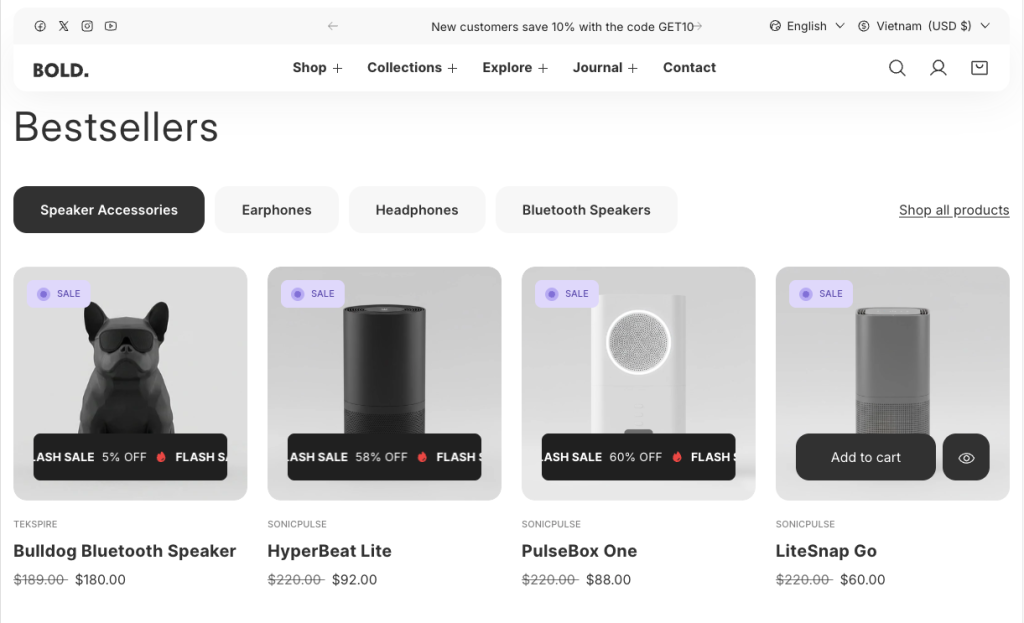
Display multiple product collections in a clean, organized layout with the Featured Collection Tabs section. Products are grouped under clickable tabs, allowing customers to switch between categories instantly without reloading the page. This setup is ideal for showcasing new arrivals, bestsellers, seasonal selections, or different product types in one seamless experience.
Configure your Featured Collection Tabs section:
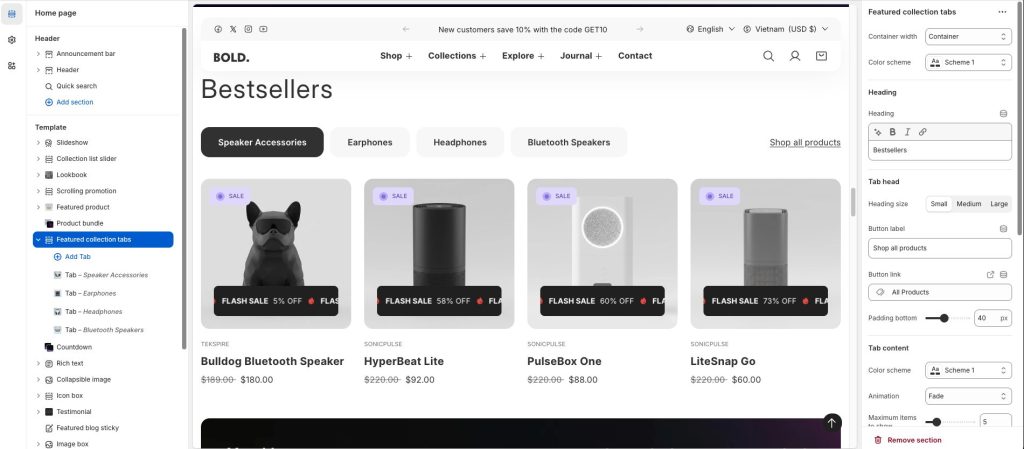
Heading size: 3 styles: Small, Medium, and Large to display heading tabs.
In the Button Label text box, enter text to display as a button label text inside the section.
In the Button link box, enter a URL or select a store page to link to. The section’s button uses the link.
Padding bottom: The distance between the heading and the content of the tabs.
Animation: 3 styles: Fade, Slide up, and Slide down to change content effects when switching tabs.
Maximum items to show: The maximum number of products per tab.
Configure your Featured Collection Tabs block:
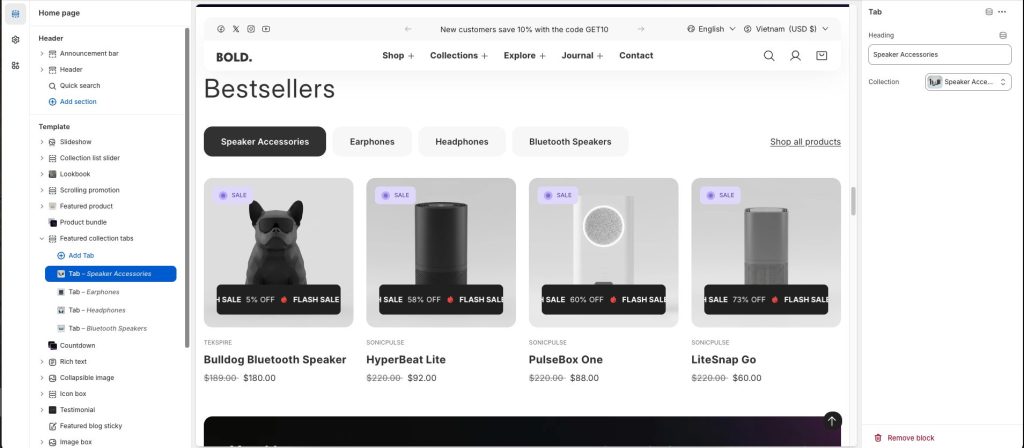
The products will be displayed according to the collection you select.