
The Footer section is the final touchpoint of your website, providing essential information and navigation in a clean, accessible layout. It can include links to key pages, contact details, social media icons, newsletter sign-up, and legal disclaimers. Designed for both functionality and brand consistency, the footer helps users stay connected and informed as they explore your site.
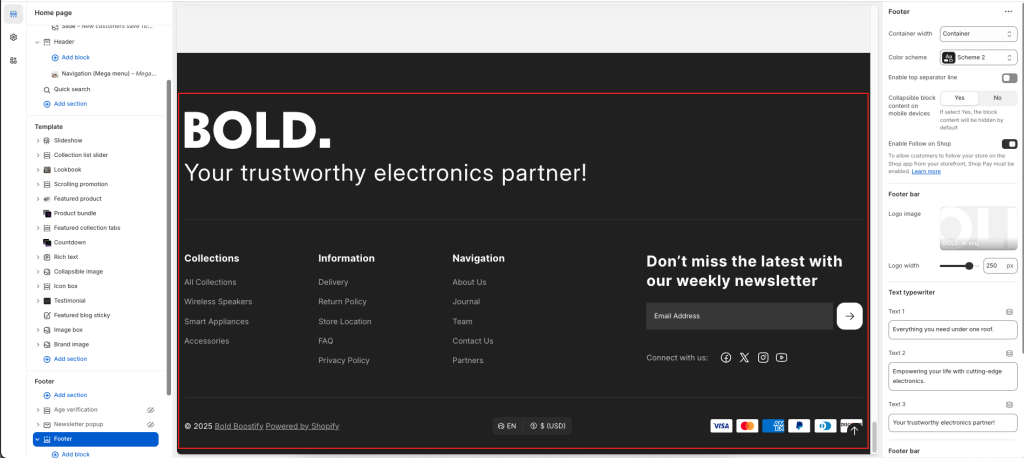
Settings: Select the checkbox to show/hide the element of the footer.
Text typewriter: There are three fields to type text. When there is more than one field, the text will change after showing the first text done
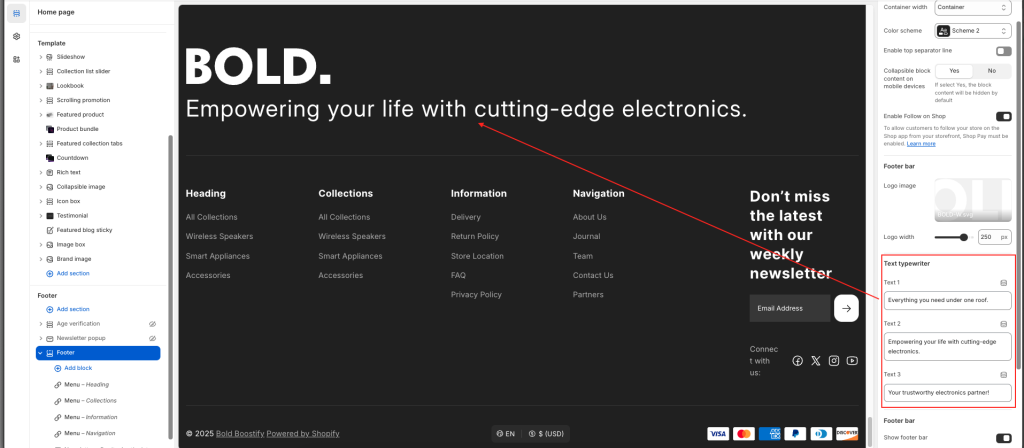
Footer blocks: This section accepts two block types: “Menu” and “Newsletter”. Using those, you can split the content in your footer area up to 5 columns. The column adjustment is automated, meaning that if you choose to add 5 blocks the resulting content will be split into 5 columns, one for each block.
- Menu: Add text to appear as the menu heading. Select any menu to display its first-level menus in the footer drawer, which opens when you click the link text.
- Newsletter: A newsletter provides your customers with up-to-date information about your store. Customers who sign up for your newsletter will have a Shopify account created for them.
Show social media icons: Select the checkbox to show/hide icons in Info block ( Note: To display your social media accounts, link them in your Theme settings -> Social media)