
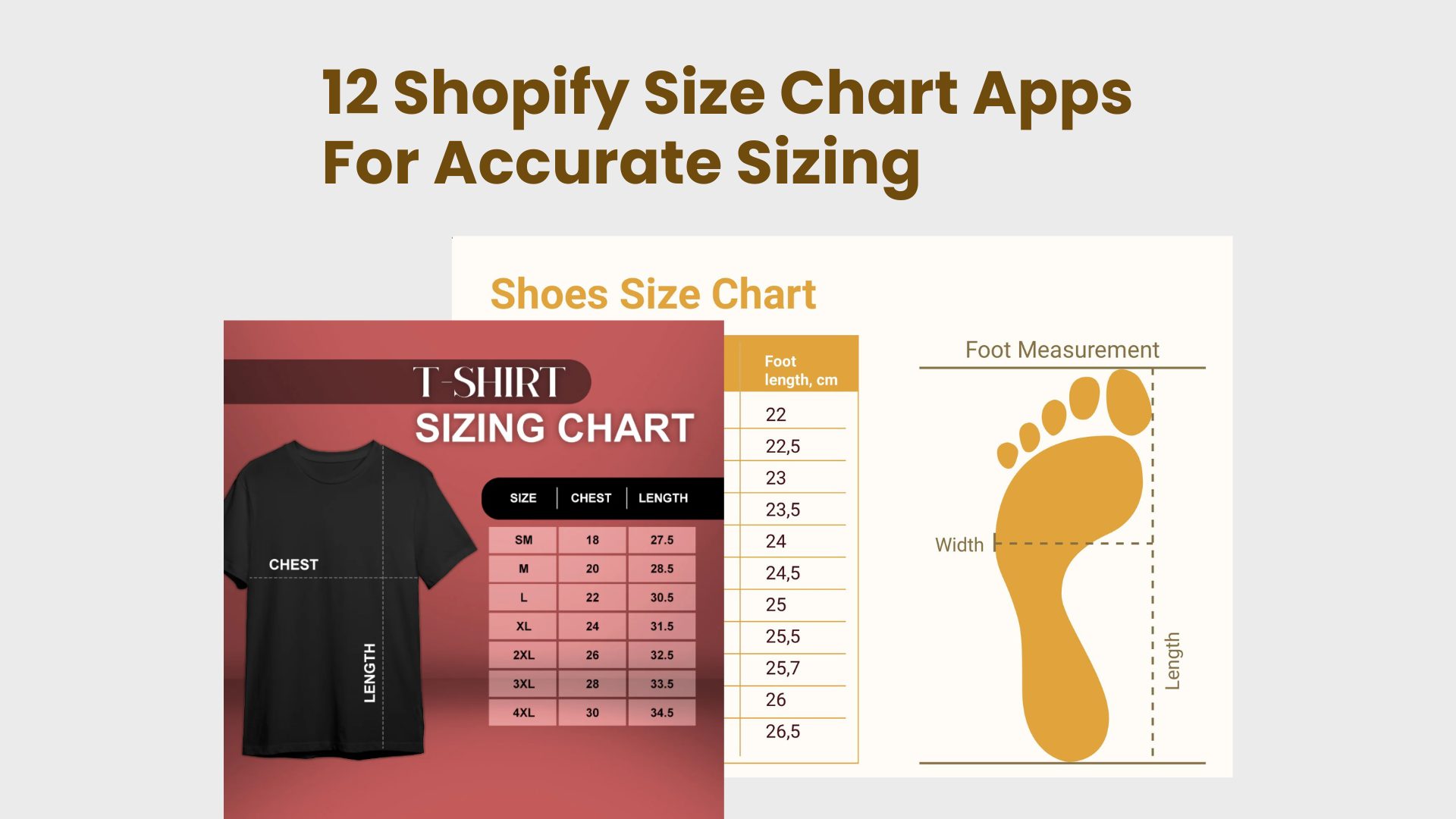
A size chart helps customers choose the correct size before purchasing, which is critical for any Shopify store selling apparel, footwear, or other size-dependent products. Without clear sizing guidance, shoppers are often forced to guess, which can lead to cart abandonment, returns, and refunds.
Although Shopify allows merchants to include basic size information in product descriptions or variants, this is often not enough to give customers confidence. A dedicated Shopify size chart app allows you to present clear, structured size guides directly on product pages, making sizing information easy to find and understand.
In this article, we review the best Shopify size chart apps to help you reduce returns, improve conversions, and create a better overall shopping experience.
Table of Contents
Why Use a Size Chart App on Shopify
Sizing plays a major role in purchase decisions, especially for Shopify stores selling apparel, footwear, or any products where fit matters. While Shopify provides basic ways to display size information, these built-in options often fall short when it comes to guiding customers effectively.
Limitations of Default Shopify Size Information
By default, Shopify allows merchants to add size details in product descriptions or variant labels. However, this approach has several limitations:
- Size information is often buried within long product descriptions
- Text-only size notes lack structure and visual clarity
- There is no standardized way to present measurements across products
- Mobile shoppers may struggle to find or read sizing details quickly
As a result, customers may hesitate, delay their decision, or abandon their carts entirely due to sizing uncertainty.
Benefits of Using a Dedicated Size Chart App
A Shopify size chart app solves these issues by displaying clear, structured size guides directly on product pages. This improves both usability and conversion performance.
Fewer Returns and Exchanges
Clear size charts help customers select the correct size before purchasing, significantly reducing size-related returns and exchanges. This lowers operational costs while improving customer satisfaction.
Higher Conversion Rates
When shoppers feel confident about sizing, they are more likely to complete their purchase. Size chart apps remove uncertainty from the buying process, leading to fewer abandoned carts and higher conversion rates.
Better Mobile Shopping Experience
Size chart apps are designed to be mobile-friendly, making sizing information easy to access on smaller screens. This is especially important as a large portion of Shopify traffic comes from mobile devices.
Clearer International Sizing (cm vs inch)
For stores selling internationally, size chart apps make it easy to display measurements in both centimeters and inches. This helps eliminate confusion for global customers and ensures consistent sizing communication across regions.
Key Features to Look for in a Shopify Size Chart App
Not all Shopify size chart apps offer the same level of flexibility or performance. Choosing the right app depends on how easily it fits into your store’s theme, workflow, and growth plans. Below are the key features to consider when evaluating a Shopify size chart app.
Easy Installation and No-Code Setup
A good size chart app should be quick to install and require no coding knowledge. Merchants should be able to set up size charts, assign them to products, and make basic adjustments without editing theme files or relying on developer support.
Customizable Size Charts (Tables, Images, Text)
Different products require different sizing formats. Look for apps that support multiple chart types, including tables, images, and text-based guides. Customization options such as colors, fonts, and labels help ensure the size chart matches your store’s branding and design.
Flexible Display Options (Popup, Tab, Inline)
How and where a size chart appears can significantly affect usability. The best Shopify size chart apps offer flexible display options, such as popups, tabs, or inline placement on product pages, allowing you to choose what works best for your layout and customer behavior.
Product-Specific or Collection-Based Size Charts
Managing size charts at scale is essential for stores with diverse product catalogs. A reliable app should allow you to assign different size charts to specific products or entire collections, ensuring customers always see the most relevant sizing information.
Mobile Responsiveness
With a large share of Shopify traffic coming from mobile devices, size charts must be fully responsive. The app should ensure that charts are easy to view, scroll, and interact with on smaller screens without disrupting the shopping experience.
Page Speed and Theme Compatibility
Poorly optimized apps can slow down your store or cause theme conflicts. Look for a size chart app that is lightweight, loads quickly, and is compatible with popular Shopify themes. This helps maintain page speed, SEO performance, and overall site stability.
Pricing and Scalability
Pricing should align with your store’s size and growth plans. Some apps are suitable for small catalogs, while others are built to scale with larger inventories. Consider whether the app offers flexible pricing tiers and can support your store as it grows.
Best Shopify Size Chart Apps (Reviewed)
Boostify Size Charts – 100% Free
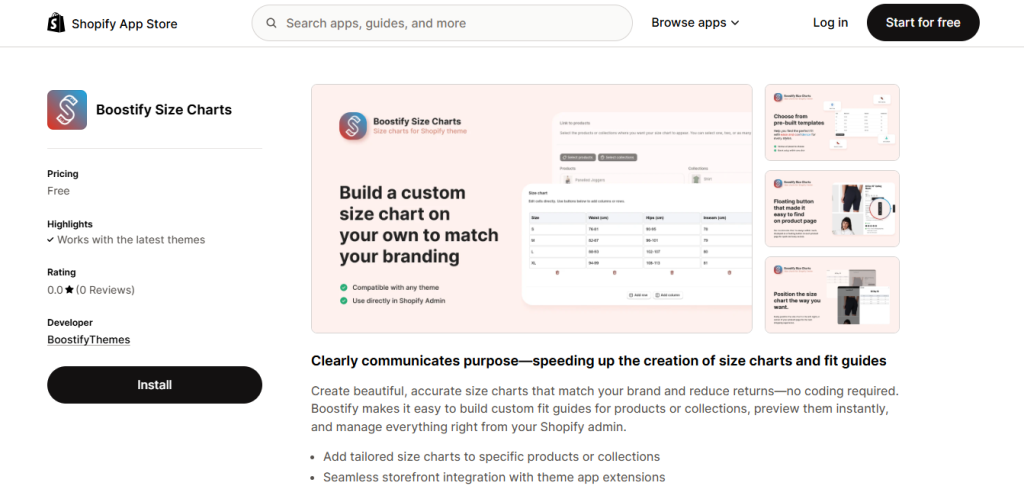
Boostify Size Charts, created by the BoostifyThemes team, is a simple, lightweight Shopify app for creating responsive size charts and fit guides without coding. It lets merchants design charts using tables, images, or tabs and display them as pop-ups or inline content on product pages. You can assign charts to products or collections and manage everything from the Shopify admin, with automatic unit conversion to support international shoppers.
Because the app is listed as free to install, it’s a low-risk way to add size charts quickly, though it doesn’t include advanced size recommendation features found in larger tools. This makes it ideal for stores that need basic, clear sizing information without subscription costs or complex setup.
Best for: Small stores or new merchants seeking a free, no-code size chart solution.
Kiwi Size Chart & Recommender – Free, Paid from $6.99/month
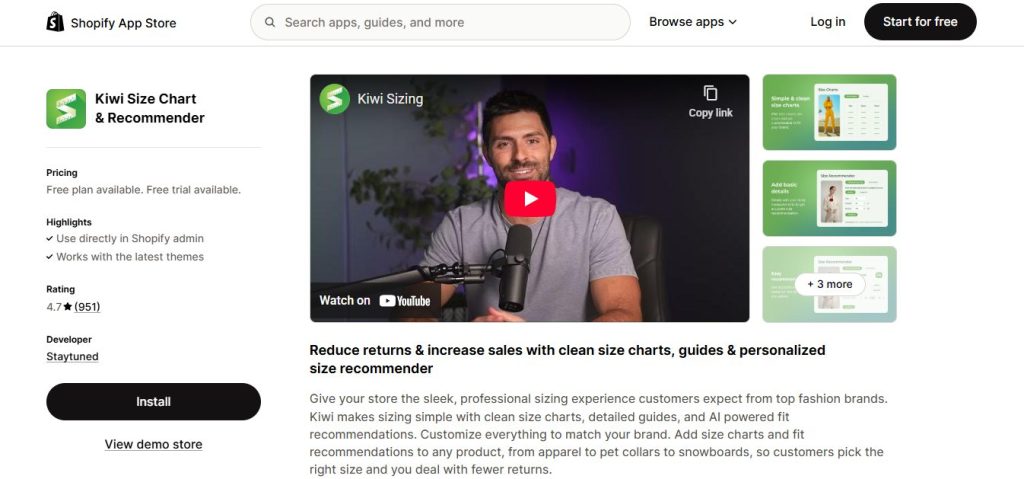
Kiwi Size Chart & Recommender is one of the most popular Shopify size chart apps, offering both custom size charts and fit recommendation functionality. The app’s pricing starts with a free plan, and paid plans begin at about $6.99/month for more published charts and advanced layouts, with higher-tier options for unlimited charts and recommenders.

Kiwi supports product-specific size charts, automatic unit conversion, flexible pop-up displays, and fit recommendation tools that help customers find the right size based on their measurements. This feature set helps reduce returns and boost customer confidence.
Best for: Apparel or fashion brands focused on reducing returns and improving fit accuracy.
CSC: Size Chart & Size Guide – Free Plan + Paid Options
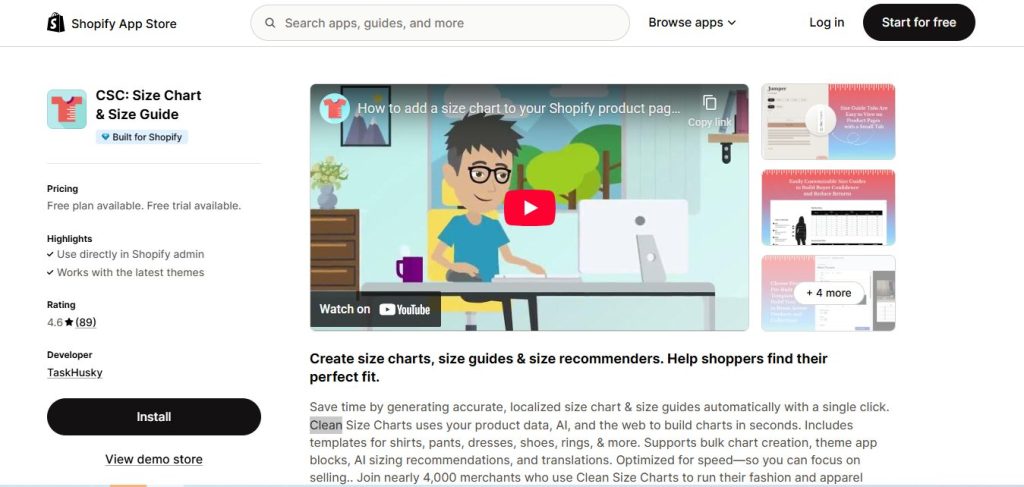
This Shopify size guide app lets merchants build and apply size charts at scale with ready templates and bulk creation tools. While the Shopify App Store shows there is a free plan available, premium tiers (not always published openly in the app listing) are common for unlocking advanced features and higher chart limits.
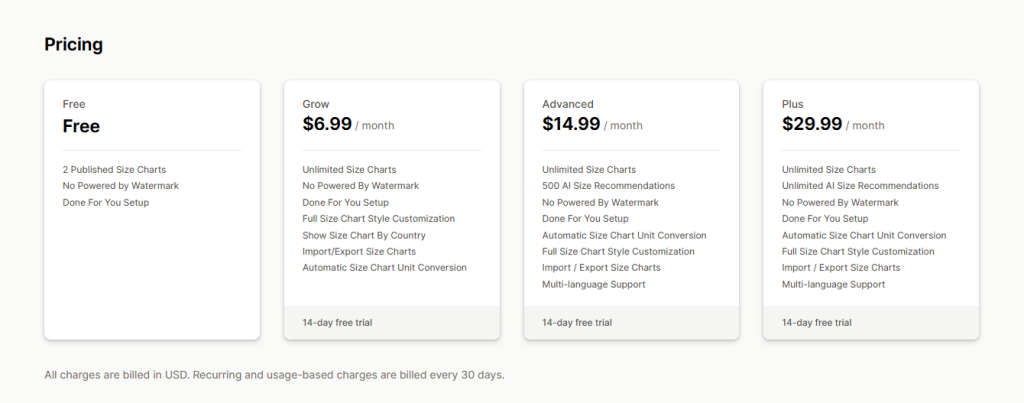
CSC integrates seamlessly with modern Shopify themes via Online Store 2.0 app blocks. It prioritizes performance and visual quality, enabling merchants to manage size guides for large catalogs without significant technical setup. Designers can create professional-looking charts that match store branding and ensure consistent sizing communication across products.
Best for: Stores with large inventories that need scalable, polished size charts.
MP Size Chart & Size Guide – Free + Paid from $6.95/month
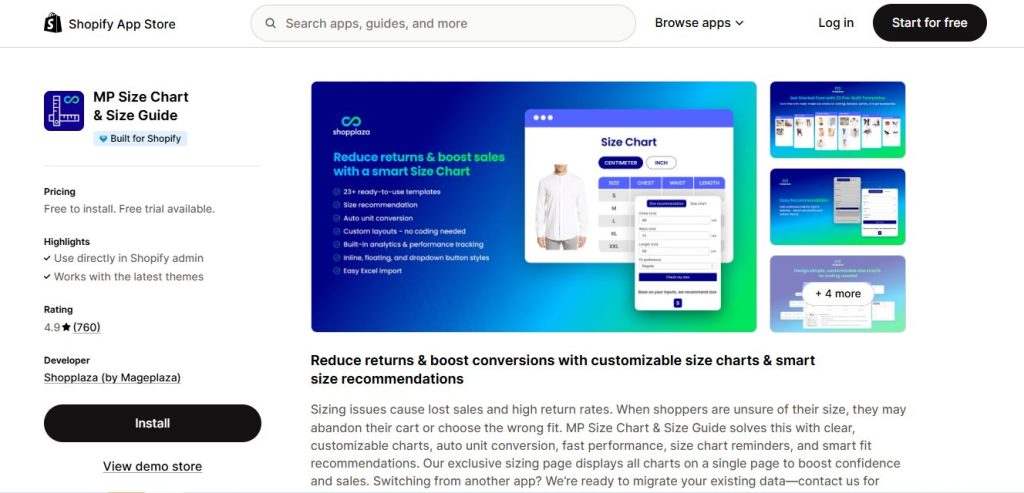
MP Size Chart & Size Guide offers flexible size charts with customizable templates, auto unit conversion, and basic fit suggestions. The app is free to install with a Starter plan that includes several charts and customization options. Paid plans start at $6.95/month, offering more published charts, reminders, auto-translate, analytics, and advanced layouts.
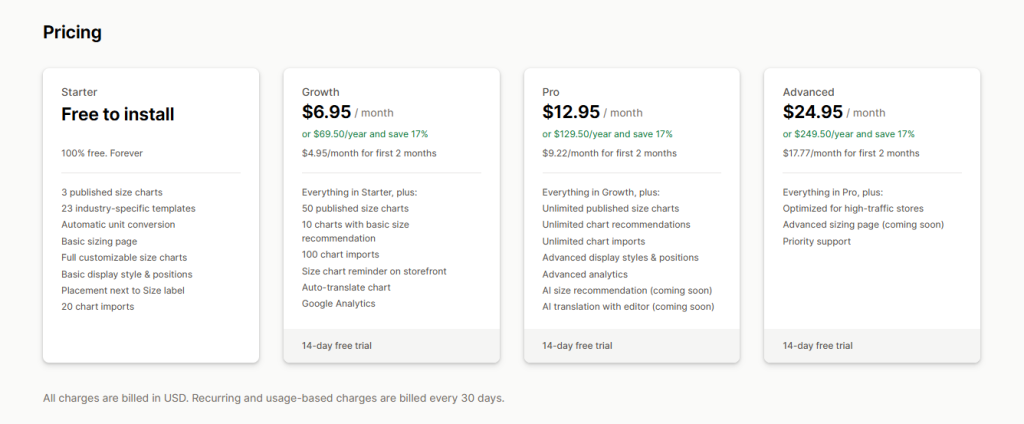
Higher tiers unlock unlimited charts and enhanced recommendation capabilities, making this app suitable for stores at different growth stages. MP supports popups, tabs, and inline chart styles, and can consolidate size guides in a dedicated sizing page.
Best for: Growing stores that want customization and optional fit guidance tools.
Smart Size Chart & Size Guide (SmartSize) – Free + Paid from $3.99/month
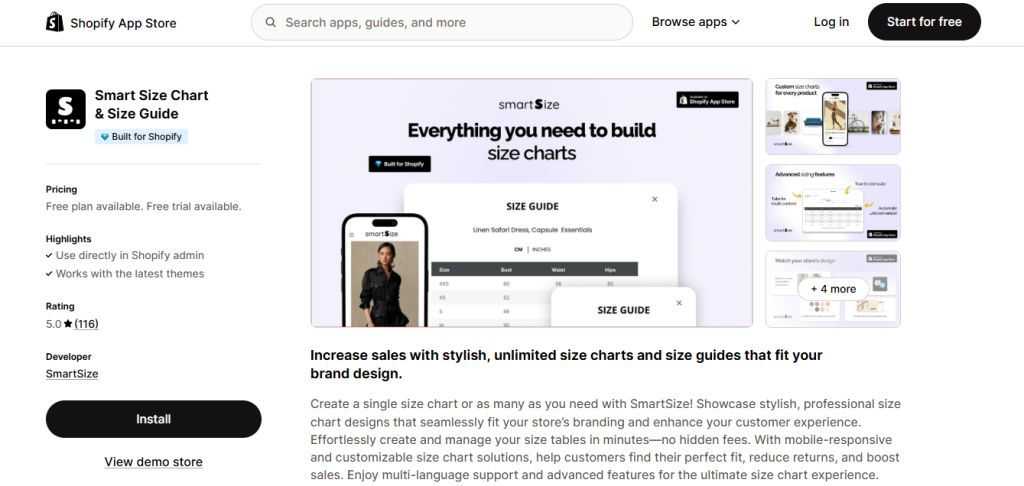
Smart Size Chart & Size Guide offers a pricing structure starting with a free plan that includes basic customization and two published charts. Paid plans begin at about $3.99/month for additional published charts and priority support, and higher tiers (e.g., $6.99/month and above) unlock unlimited charts and analytics.

SmartSize focuses on responsive chart design, multi-language support, unit conversion, and visual customizations like images and brand colors. Its flexible setup and clean interface make it a lightweight yet capable choice for merchants who want professional-sized guides without heavy overhead.
Best for: International stores needing multi-language size charts with good performance.
BF Size Chart & Size Guide – Free + Paid Options

BF Size Chart & Size Guide allows merchants to assign size charts using rule-based logic based on product tags, types, or collections. This makes it easy to manage sizing information across diverse product categories, including apparel and footwear, without manual duplication.
The app offers a free plan with basic functionality, while paid plans unlock higher chart limits and additional customization options. Exact pricing details are displayed inside the app after installation.
BF focuses on clear, structured size chart presentation rather than AI-driven size recommendations. Its flexible placement options give merchants control over where and how size charts appear on product pages, helping customers find sizing information quickly.
Best for: Apparel and footwear stores with multiple product collections or varying sizing standards.
ESC Size Charts by Eastside Co – Free + Paid at $4.99/month
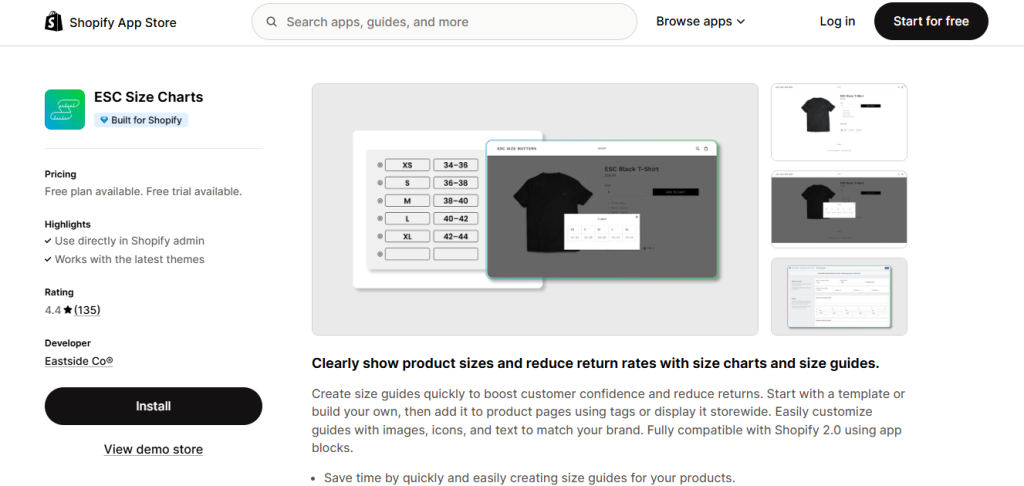
ESC Size Charts offers a free plan that allows creation of a limited number of size charts, and a premium plan at about $4.99/month that removes watermarks and enables unlimited charts, image/text options, and export features.
The app emphasizes easy creation and theme-consistent styling, with chart assignment by tags, collections, or products. ESC is reliable and stable, though it focuses on core chart features rather than advanced recommendations or analytics.
Best for: Merchants who want an affordable and established size chart solution with basic paid upgrades.
RT: Size Chart & Size Guide (RoarTheme) – Free
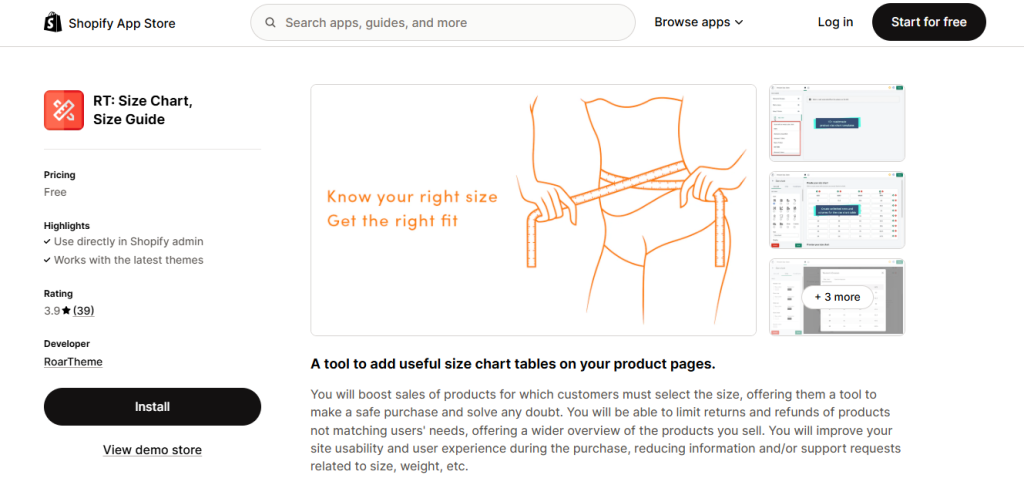
RT: Size Chart & Size Guide by RoarTheme is a lightweight Shopify app designed to help merchants add basic size charts to product pages with minimal setup. The app allows users to create size charts using tables and text, and display them primarily through pop-up windows that are triggered near size selectors or product information areas. Charts can be assigned to individual products, making it easy to manage sizing for small catalogs.
RT focuses on ease of use rather than advanced customization or fit recommendation logic. It integrates smoothly with many responsive Shopify themes and does not require coding, which helps new merchants get started quickly. The app is listed as free on the Shopify App Store, making it accessible for stores that want to test size charts without any financial commitment.
While feature depth is limited compared to more advanced tools, RT delivers reliable core functionality.
Best for: Beginners and budget-conscious merchants who need a free, simple pop-up size chart solution.
Jotly Size Chart & Size Guide – Free plan available + Paid plans
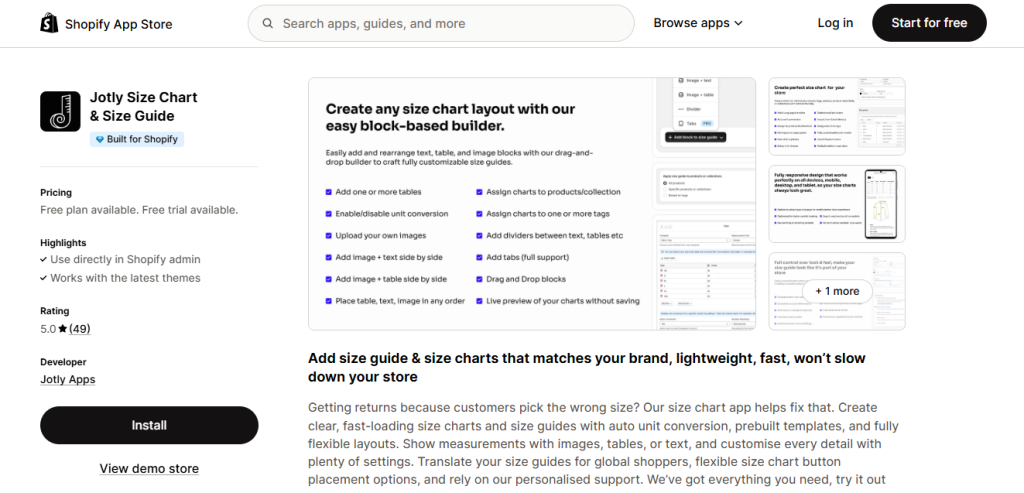
Jotly Size Chart & Size Guide offers a flexible, visual approach to presenting sizing information on Shopify product pages. The app includes a drag-and-drop editor that allows merchants to build size charts using tables, text blocks, and images, making it easy to customize layouts without technical knowledge. Charts can be displayed as popups or tabs and assigned by product, collection, vendor, or product tags.
Jotly also supports multi-language size charts, which is useful for stores selling to international audiences. The interface is designed to balance customization with simplicity, avoiding overly complex configuration while still offering control over placement and design.
A free plan is available, with paid plans unlocking higher limits and advanced options. Pricing details are shown after installation.
Best for: Merchants who want visually customizable, multilingual size charts with an intuitive setup.
Ultimate Size Chart – Paid, approximately $5.99/month
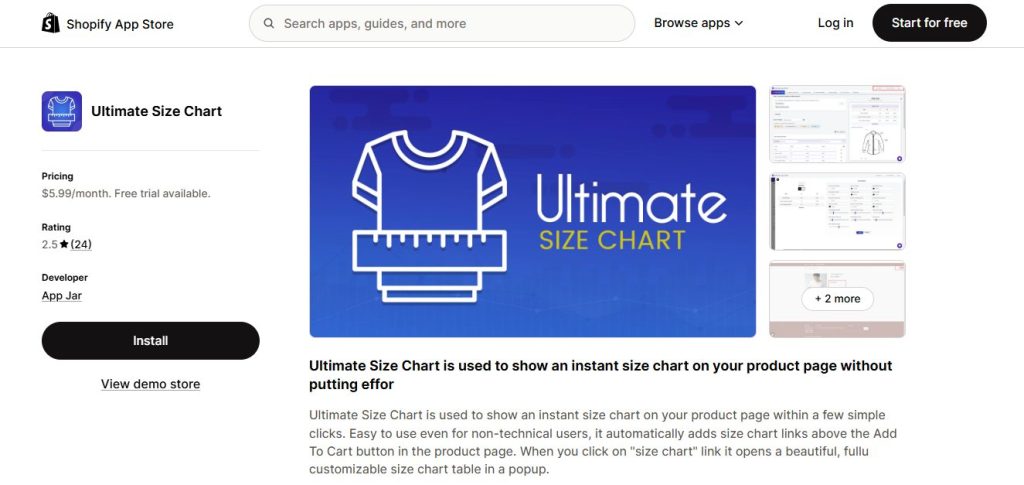
Ultimate Size Chart is a minimalist Shopify app built for stores that only need a clear and straightforward way to display sizing information. The app automatically adds a “Size Chart” link near the Add to Cart button, which opens a popup table when clicked. This simple interaction makes sizing information easy to access without cluttering the product page.
The app intentionally avoids advanced customization, analytics, or fit recommendation features, focusing instead on performance and clarity. Because of its lightweight nature, Ultimate Size Chart has minimal impact on page speed and works reliably across most SEO-friendly Shopify themes.
Ultimate Size Chart is a paid app, commonly listed at around $5.99 per month, with no free tier publicly advertised.
Best for: Simple stores that want a clean, no-distraction popup size chart and don’t need advanced sizing logic.
Pify Size Charts & Size Guides – Free plan available
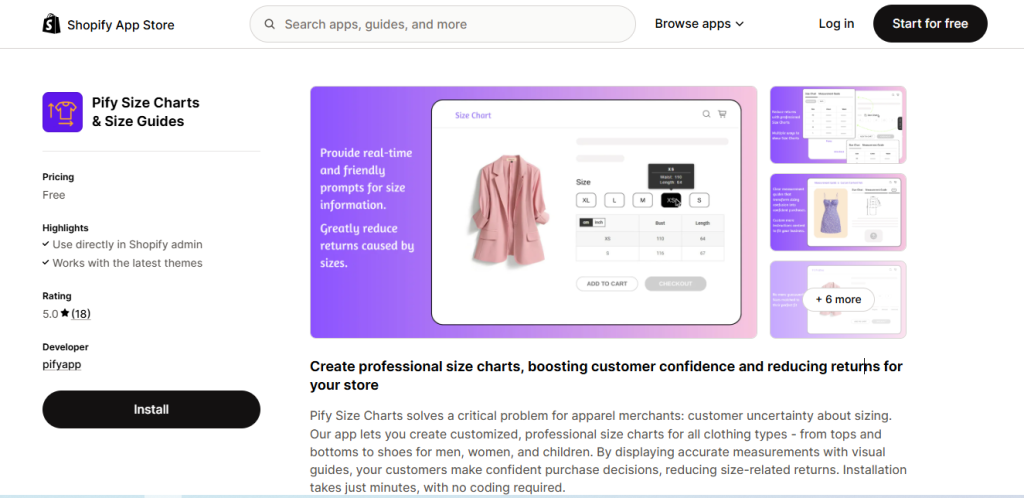
Pify Size Charts & Size Guides is designed primarily for fashion and apparel Shopify stores. The app provides predefined templates for men’s, women’s, kids’, and footwear sizing, allowing merchants to publish professional-looking size charts quickly. Charts can include tables, images, and tabbed layouts, and support unit conversion between metric and imperial systems.
Pify focuses on speed and ease of setup rather than complex recommendation logic. It works well for stores with multiple clothing categories that need consistent sizing presentation across products. Charts can be assigned to products or collections and displayed in a user-friendly way on both desktop and mobile devices.
The app is listed as free on the Shopify App Store, with all core features available at no cost.
Best for: Apparel stores with multiple categories that want ready-made size chart templates and fast setup.
JustFits – Free Shopify Size Chart App
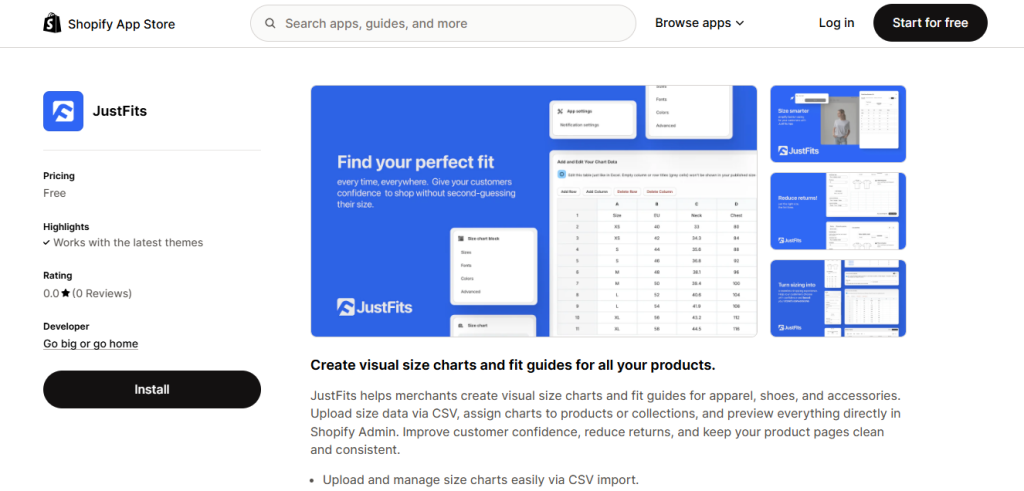
JustFits takes a more structured, data-oriented approach to size chart management on Shopify. The app emphasizes visual size charts and fit guides while allowing merchants to manage sizing data through CSV imports. This makes it easier to reuse, update, and standardize size information across large catalogs.
Size charts can be assigned by product or collection, and merchants can preview how charts will appear directly within the Shopify admin. JustFits focuses on accuracy and consistency rather than automated size recommendations, making it suitable for operationally complex stores.
The app is completely free, with no paid plans or tiered pricing listed on the Shopify App Store.
Best for: Medium to large Shopify stores that need scalable, data-driven size chart management.
How to Choose the Right Size Chart App for Your Store
Choosing the right Shopify size chart app depends on your store’s size, product catalog, and operational needs. Instead of looking for the most feature-rich app, focus on finding one that aligns with how your store currently operates—and how it plans to grow.
Store Size and Monthly Traffic
Smaller stores with limited traffic often benefit from lightweight size chart apps that are easy to set up and maintain. Larger stores with higher traffic volumes should prioritize performance, stability, and advanced management options to ensure size charts load quickly without affecting page speed.
Product Type (Fashion, POD, Footwear, Activewear)
Different product categories have different sizing requirements. Fashion and print-on-demand (POD) products typically need flexible size tables and visual guides, while footwear and activewear often require precise measurements and fit notes. Choose an app that supports the sizing format most relevant to your products.
Budget Considerations
Size chart apps range from free plans to premium subscriptions. If your catalog is small, a basic plan may be sufficient. As your store grows, investing in a more advanced app can help reduce returns and improve conversions—often offsetting the monthly cost.
Customization Needs vs. Simplicity
Some merchants prefer highly customizable size charts with full control over design and placement, while others value simplicity and quick setup. Consider whether you need advanced styling and logic, or a straightforward solution that works out of the box with minimal configuration.
Beginner vs. Advanced Merchant Needs
Beginner merchants often benefit from apps with intuitive interfaces, presets, and minimal setup requirements. Advanced merchants, on the other hand, may need features like product-level rules, collection-based assignments, or analytics to manage size charts at scale.
FAQs About Shopify Size Chart Apps
Do size chart apps slow down Shopify stores?
Most modern Shopify size chart apps are built to be lightweight and load only when triggered (for example, when a customer clicks a size chart link or opens a popup). In these cases, the impact on page speed is usually minimal.
However, performance can vary depending on how the app is implemented. Apps that inject multiple external scripts, load charts on every page view, or are poorly optimized may negatively affect page speed.
To avoid performance issues, it’s best to choose a size chart app that is actively maintained, compatible with your Shopify theme, and known for efficient loading behavior.
Can I assign different size charts to different products?
Yes. Most Shopify size chart apps allow merchants to assign different size charts to individual products, collections, or product groups. This is especially important for stores that sell multiple product types—such as tops, bottoms, footwear, or accessories—each with different sizing standards.
More advanced apps also support rule-based assignment using product tags, types, or vendors, making it easier to manage size charts at scale and ensure customers always see the most relevant sizing information.
Are free size chart apps good enough?
Free size chart apps can be sufficient for small stores with a limited product catalog and simple sizing needs. They typically cover the basics, such as displaying a size chart popup or table on product pages.
However, free plans often come with limitations, such as restricted customization, fewer published charts, watermarks, or limited display options. As your store grows or your catalog becomes more complex, upgrading to a paid plan can provide better control, scalability, and consistency across products.
Do print-on-demand (POD) stores need a size chart app?
Yes. Print-on-demand (POD) stores often benefit significantly from using a size chart app. Many POD products are non-returnable or expensive to replace, so accurate sizing information is critical to setting correct customer expectations.
Clear size charts help reduce misunderstandings about fit, lower the risk of customer complaints, chargebacks, and negative reviews, and improve overall customer satisfaction—especially for apparel-focused POD businesses.
Final Thoughts
Size chart apps help customers choose the right size with confidence, reducing returns and improving conversions for Shopify stores selling size-dependent products.
Instead of choosing an app based on popularity, focus on what fits your store’s specific needs—such as product type, customization level, and budget. Testing and optimizing how size charts are displayed can further enhance the shopping experience, especially on mobile.
The best Shopify size chart app is the one that works best for your store. Try a few options, evaluate the results, and choose the solution that supports your growth.