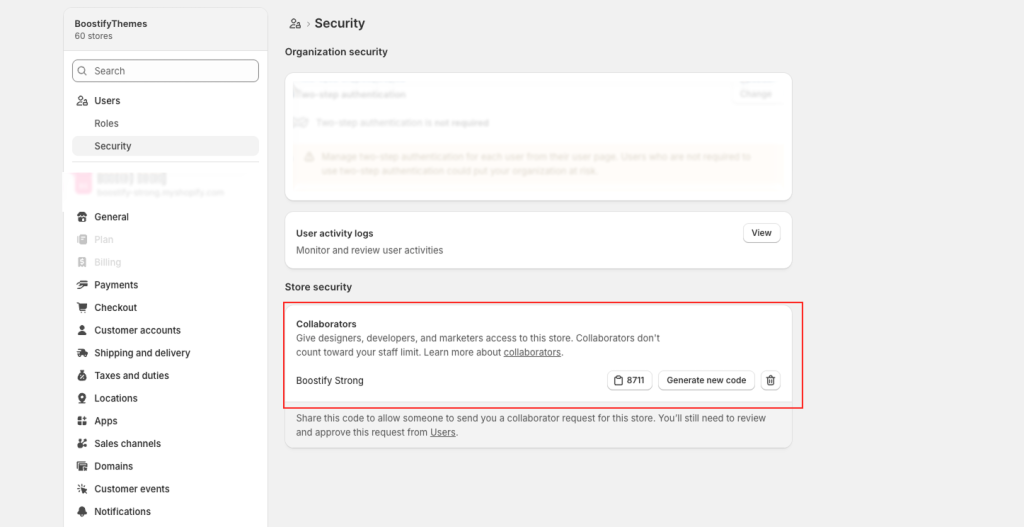
To get the collaboration code for your Shopify store, you’ll need to log in as the store owner, as this code is a security feature managed by the store owner. This code is essential for allowing partners, like developers or agencies, to request access to your store safely.
Step-by-Step Guide
Follow these steps to locate or generate your collaboration code:
- Log In to Shopify Admin: Start by logging into your Shopify admin panel using your store owner credentials.
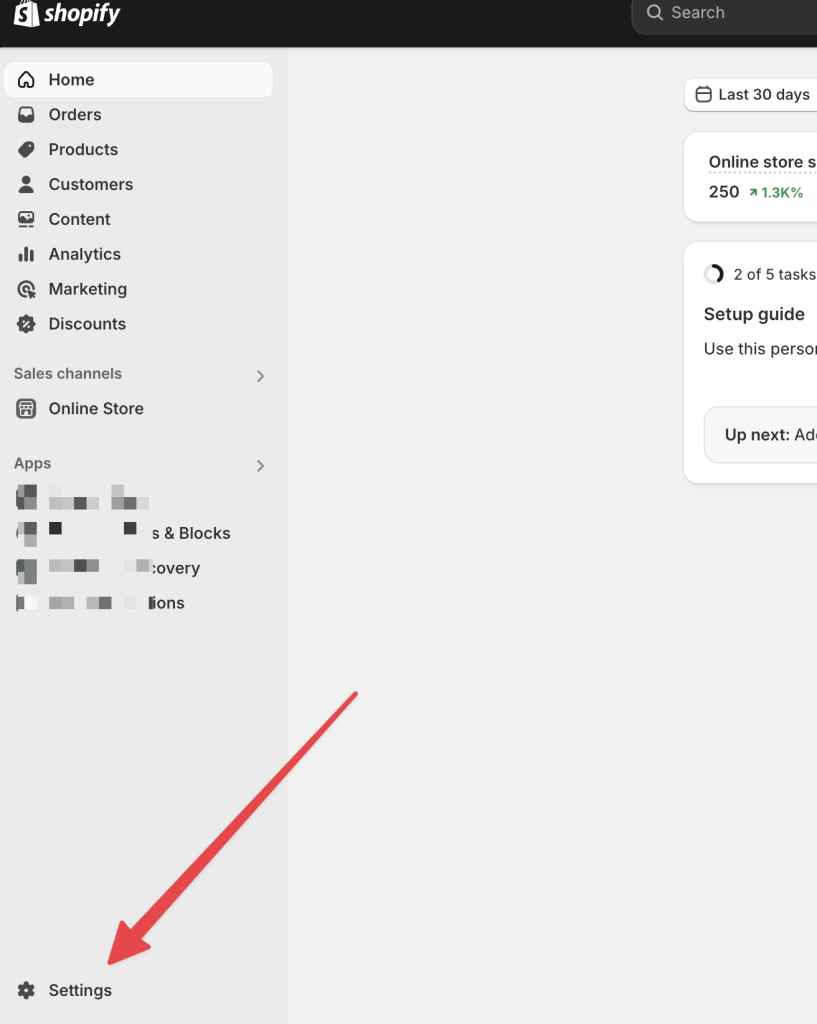
- Navigate to Settings: From the left-hand menu, click on “Settings.”
- Access Users: In the Settings page, click on “Users” => Security
- Store security: The 4-digit code should be displayed. If not, click “Generate new code” to create one.
- Copy and Share: Use the copy icon next to the code to share it with the person you want to collaborate with. Note that sharing the code only allows them to send a request, which you must approve.