
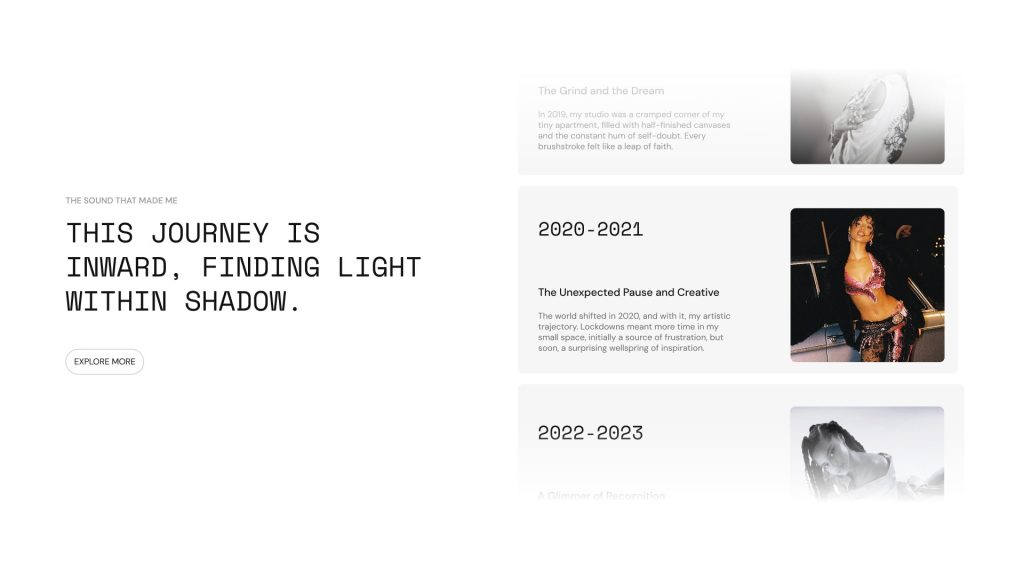
Create a scroll-based storytelling section with fixed text and supporting image cards. Use it to present timelines, journeys, campaigns, or editorial content in a dynamic layout. As visitors scroll, each image and content item helps build a clear visual narrative. Flexible text, button, and spacing options make it suitable for many creative pages.
Content
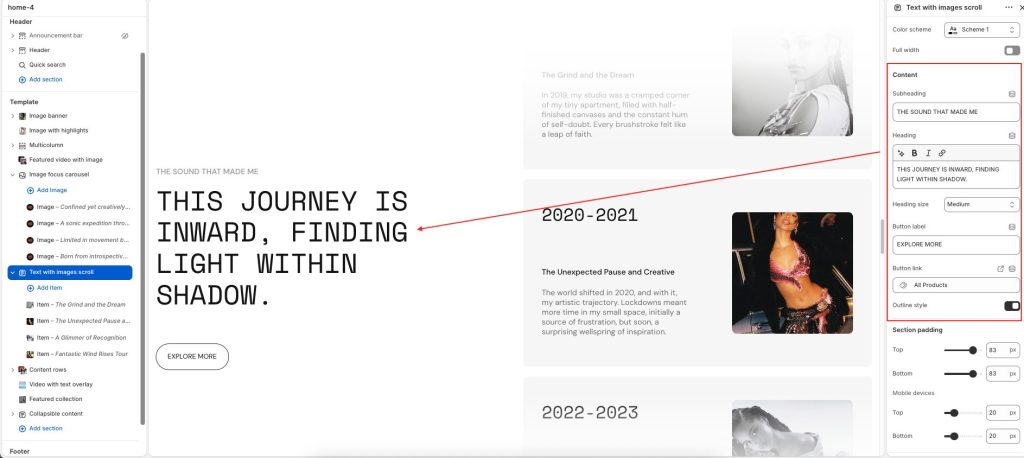
Color scheme: Select a color palette for the section background and content.
Full width: Expand the section to fill the full width of the screen.
Subheading: Add a short introductory label or supporting text.
Heading: Display the main title or featured message for the section.
Heading size: Adjust the size of the main heading text.
Button label: Add text for the call-to-action button.
Button link: Choose a destination link for the button.
Outline style: Display the button with an outlined visual style.
Block
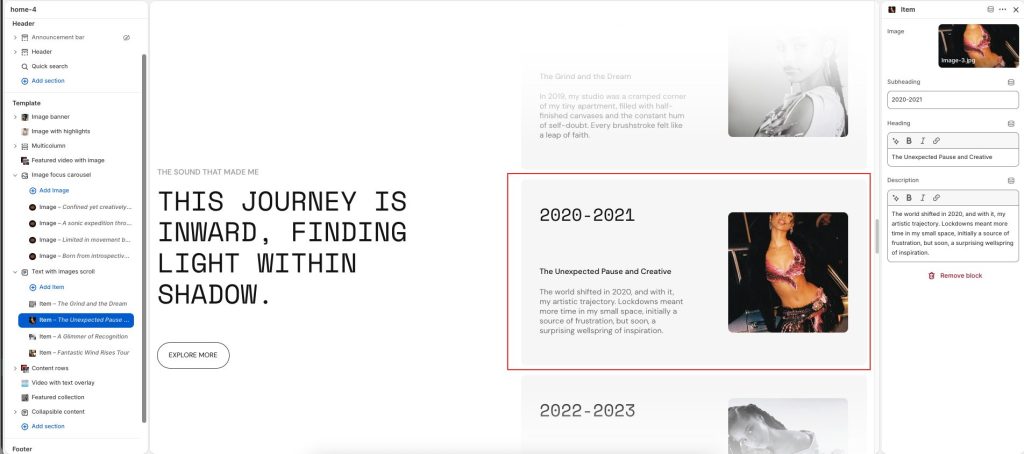
Subheading: Add a short introductory label or supporting text.
Enter the Heading text to display inside the section
In the Description box, enter text to display inside the section. Format the text and add links, using the Text editor pane.