
Combine featured video content with layered imagery to create an immersive and visually striking presentation. Blend motion, photography, and rich text to highlight stories, campaigns, or promotional content with depth and atmosphere. Flexible media and layout settings make the section ideal for editorials, artist showcases, brand storytelling, or cinematic hero experiences. Create a dynamic composition that captures attention through movement and visual layering.
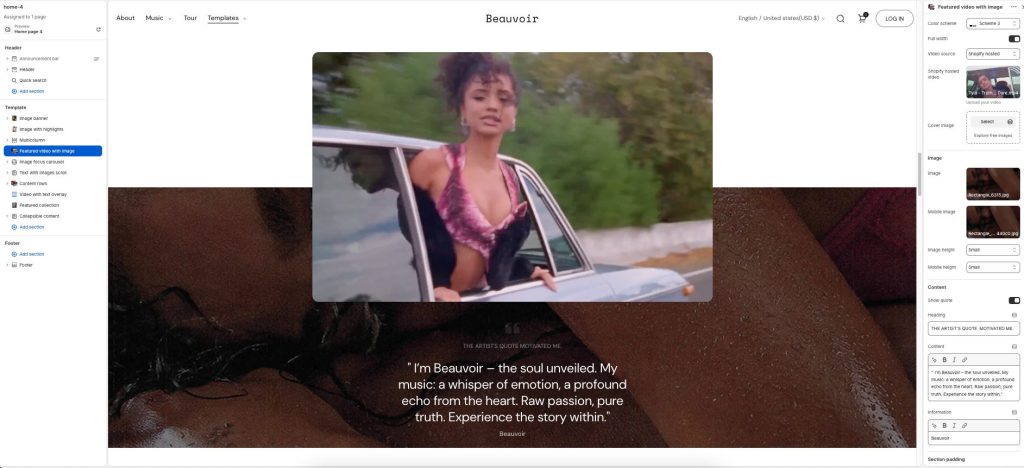
Color scheme: Select a color palette for the section background and content.
Full width: Expand the section to fill the full width of the screen.
Video source: Choose the source type for the video content.
Cover image: Add a preview image displayed before the video loads or non-video.
Image: Upload the primary supporting image displayed in the section.
Mobile image: Add an alternate image optimized for mobile devices.
Image height: Adjust the height of the desktop image area.
Mobile height: Adjust the height of the image area on mobile devices.
Show quote: Display decorative quote styling for the content area.
Heading: Add the main heading or highlighted quote text.
Content: Enter descriptive or supporting text content for the section.
Information: Add additional details, labels, or attribution text.