
The Footer section is the final touchpoint of your website, providing essential information and navigation in a clean, accessible layout. It can include links to key pages, contact details, social media icons, newsletter sign-up, and legal disclaimers. Designed for both functionality and brand consistency, the footer helps users stay connected and informed as they explore your site.
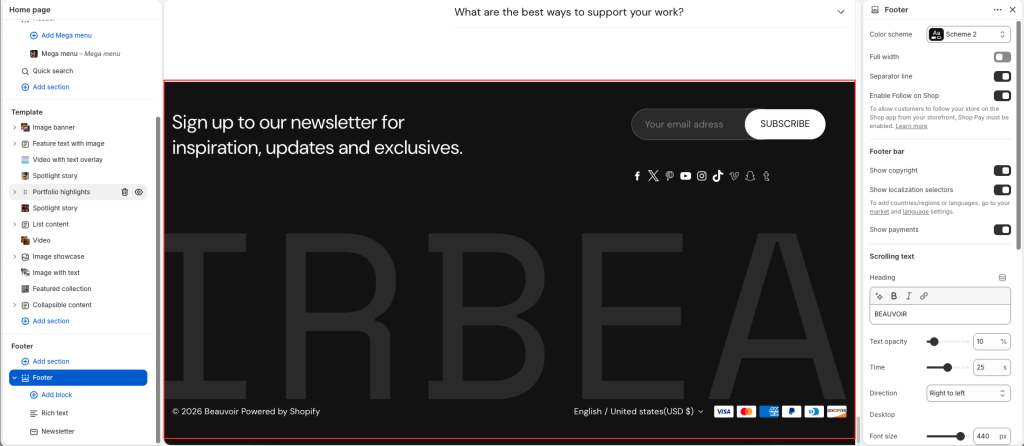
Settings: Select the checkbox to show/hide the element of the footer.
Scrolling text
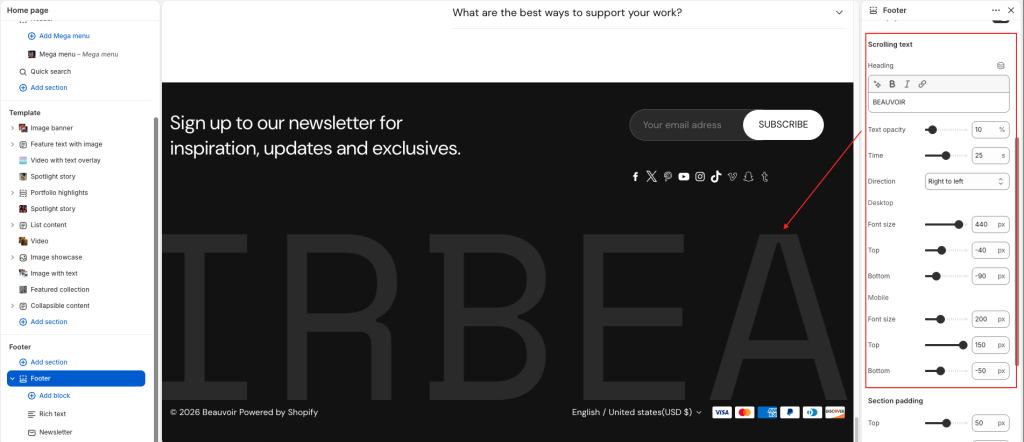
Add Heading text, use Text opacity to make the heading opaque.
Use the Direction options to select Right to left or Left to right. Use this option to specify a direction for the animation that moves/scrolls the section’s text and icons.
Adjust the Time slider between 1s and 50s. Use this option to specify a scroll speed for text inside the section.
Set up Font size for text for both Desktop and mobile screens.
Set Top/Bottom to make space at the top/bottom for both Desktop and mobile screens.