
Create a cinematic storytelling section that blends expressive typography, featured imagery, and layered content into a visually immersive composition. Use oversized letters, editorial layouts, and supporting text to highlight artistic narratives, campaigns, or brand moments with strong visual impact. Flexible content and styling options make the section suitable for modern portfolios, creative showcases, and emotionally driven storytelling experiences.
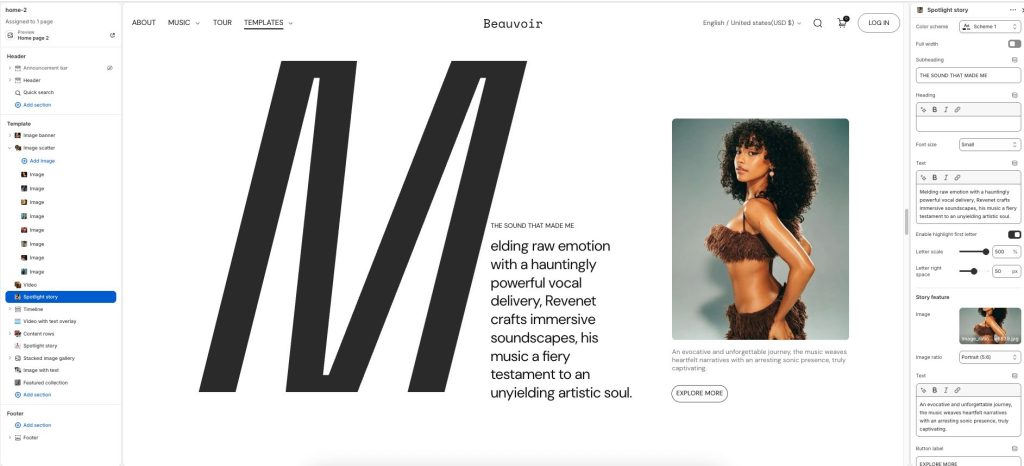
Color scheme: Select a color palette for the section background and content.
Full width: Expand the section to fill the full width of the screen.
Subheading: Add a short supporting label or introductory text.
Heading: Display the main title or featured message for the section.
Font size: Adjust the size of the main heading text.
Text: Enter descriptive or supporting story content.
Enable highlight first letter: Display the first letter as an oversized visual element.
Letter scale: Adjust the size of the highlighted first letter.
Letter right space: Control the spacing beside the highlighted letter.
Story feature
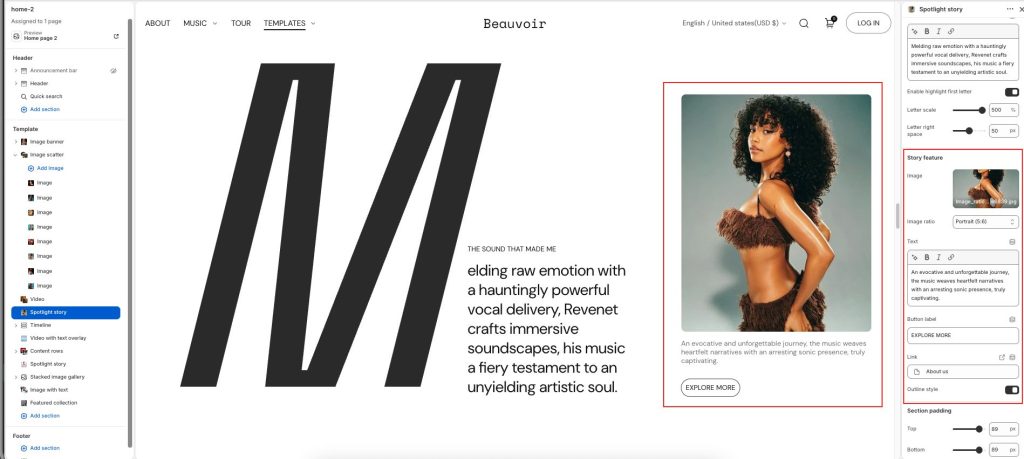
Image: Upload a featured image displayed within the story layout.
Image ratio: Adjust how the image is cropped and displayed.
Text: Add supporting descriptive text for the featured image area.
Button label: Add text for the call-to-action button.
Button link: Choose a destination link for the button.
Outline style: Display the button with an outlined visual style.