
Display customer quotes, reviews, or featured statements in an immersive testimonial layout. Combine expressive typography, author details, and flexible slider controls to create engaging storytelling and social proof experiences. Multiple layout and animation options allow the section to adapt to editorial, promotional, or brand-focused presentations. Create a visually impactful showcase that highlights voices, experiences, and meaningful feedback.
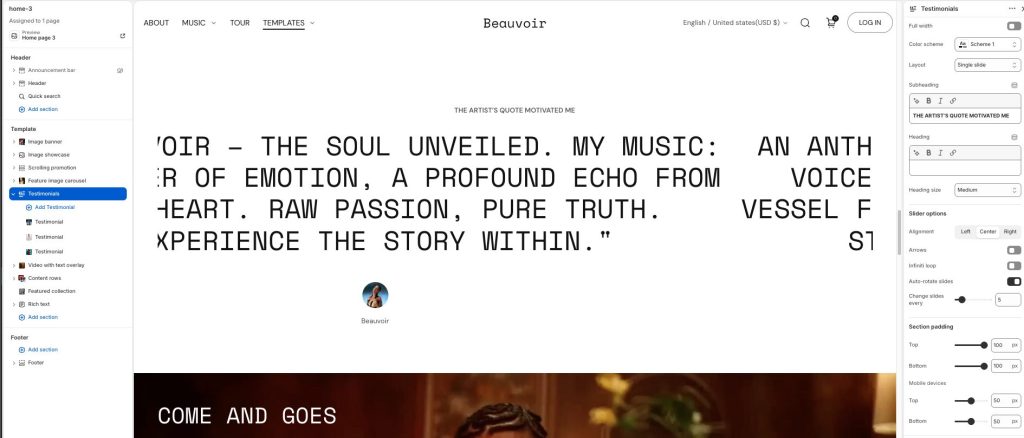
Full width: Expand the section to fill the full width of the screen.
Color scheme: Select a color palette for the section background and content.
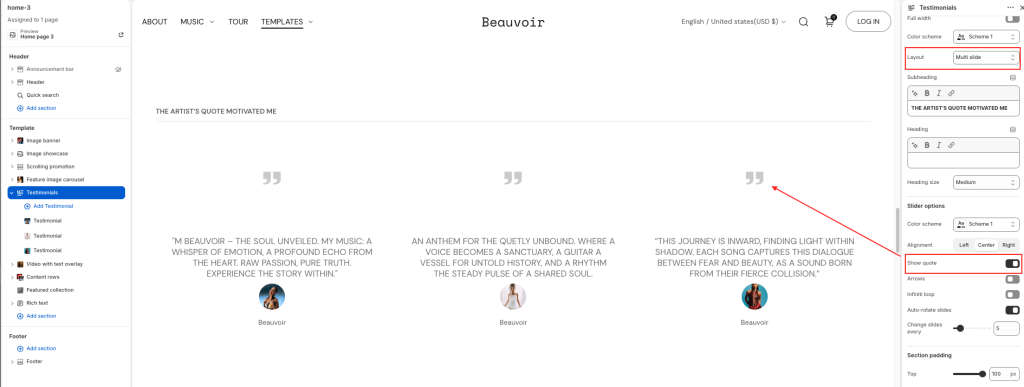
Layout: Choose the visual layout style for testimonial slide: Single slide/ Multi slide.
Subheading: Add a short supporting label or introductory text.
Heading: Display the main title or featured message for the testimonial section.
Heading size: Adjust the size of the heading typography.
Slider options
Alignment: Choose the horizontal alignment of the testimonial content.
Arrows: Display navigation arrows for the testimonial slider.
Infinite loop: Continuously loop through testimonial slides.
Auto-rotate slides: Automatically cycle through testimonial slides.
Change slides every: Set the duration between automatic slide transitions.
With Multi slide layout, Show quote option will be added.
Testimonial block
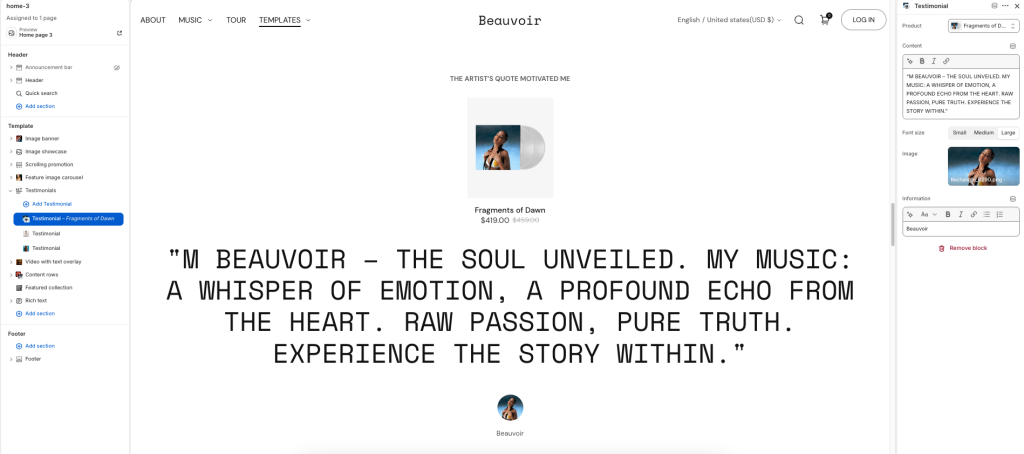
Product: Select a product associated with the testimonial content.
Content: Enter the testimonial quote or featured statement.
Font size: Adjust the size of the testimonial text.
Image: Upload an image displayed with the testimonial item.
Information: Add supporting details such as author name, role, or attribution text.